TechRadar
KVM virtual machine software review
KVM provides a strong open-source virtualization foundation inside the Linux kernel, offering excellent performance and flexibility when paired with QEMU, libvirt, and virt-manager. However, it is less a polished standalone product than a technical stack that depends heavily on Linux knowledge.
Pros
+Strong Linux-native virtualization performance
+Free and open-source
+Works well with QEMU, libvirt, and virt-manager
+Suitable for servers, development, and advanced desktop use
+Flexible enough for passthrough, headless, and infrastructure workflows
Cons
-Not a polished standalone application
-Requires Linux knowledge
-User experience depends on surrounding tools
-Storage and networking can be confusing at first
-Less convenient for casual desktop virtualization KVM: 30-second review
Why you can trust TechRadar
We spend hours testing every product or service we review, so you can be sure you're buying the best. Find out more about how we test.
Jump To:
Plans and pricing
Features
Interface and use
Performance
Support
The competition
Final verdict
KVM is often included among the best virtual machine software options, although it should be understood differently from most desktop virtualization tools. It is not an application that users simply open and operate on its own. KVM, short for Kernel-based Virtual Machine, is built into the Linux kernel and provides the low-level virtualization capability that allows Linux to run virtual machines with hardware acceleration.
In practice, KVM is usually part of a wider stack. QEMU handles device emulation and virtual machine execution, KVM provides hardware-assisted acceleration through the Linux kernel, and libvirt offers a management layer used by tools such as virt-manager, virsh, Cockpit, and other front ends. This is why users often see the combined term QEMU/KVM rather than KVM alone.
In a typical desktop Linux setup, this stack often consists of four parts: KVM for kernel-level virtualization, QEMU for device emulation, libvirt for management, and virt-manager for the graphical interface. This is why the experience users describe as “KVM” is usually shaped by several tools working together rather than by KVM alone.
Latest Videos From
This distinction is important because it shapes the entire experience. KVM can be very fast and reliable, but it does not offer the same integrated product feel as VMware Workstation or Parallels Desktop. Instead, it gives Linux users a powerful foundation that can be managed through different tools depending on the use case.
For users already comfortable with Linux, this is a major advantage. KVM fits naturally into the Linux ecosystem, works well on servers, and scales from local test environments to larger infrastructure platforms. For users expecting a guided desktop virtualization product, it may feel fragmented at first.
KVM: Plans and pricing
At the technology level, KVM has a licensing cost of $0. It is part of the Linux kernel and can be used with free tools such as QEMU, libvirt, and virt-manager. For individual Linux users, developers, and homelab environments, this means the core virtualization stack can be used without a paid license.
That does not mean every KVM-based environment is cost-free in practice. Support, packaging, management tools, and enterprise integration usually come from the Linux distribution or vendor stack around it. A user running KVM on a community Linux distribution may pay nothing, while an organization deploying KVM through an enterprise Linux platform will usually pay for the broader operating system and support subscription.
Are you a pro? Subscribe to our newsletter
Sign up to the TechRadar Pro newsletter to get all the top news, opinion, features and guidance your business needs to succeed!
For example, Red Hat Enterprise Linux Server currently lists Self-support at US$383.90, Standard at US$878.90, and Premium at US$1,428.90 for one year. Ubuntu Pro is free for personal use on up to five machines, while paid plans list $25 per workstation per year and $500 per server per year. These figures are not KVM license fees, but they show how commercial support around a KVM-based environment is typically priced.
For individual users and homelab setups, KVM remains highly attractive because the core tools are available without a direct software cost. For businesses, the calculation is different. KVM can reduce licensing pressure, but organizations still need to consider support, management, automation, backup, monitoring, and staff expertise.
In practice, KVM’s pricing model is simple at the technology level but more variable at the operational level. The core virtualization layer is free, but the overall cost depends on whether users rely on community tools, enterprise Linux support, or a larger platform built on top of KVM.
KVM: Features
KVM provides the virtualization foundation, but most user-facing features come through the tools used with it. When paired with QEMU and libvirt, it can support a wide range of guest operating systems, including Linux, Windows, and BSD-based systems. Users can allocate CPU cores, memory, storage, and virtual hardware to each VM, while also taking advantage of hardware virtualization support from modern processors.
The QEMU/KVM combination is particularly important. QEMU provides the virtual machine environment and emulated devices, while KVM allows guest code to run with hardware acceleration. This reduces overhead compared to pure emulation and is one of the reasons KVM-based setups can perform very well on Linux hosts.
Libvirt adds the management layer that makes KVM practical for day-to-day use. Through libvirt, users can manage VMs locally or remotely, define storage pools, configure virtual networks, and control guest lifecycle operations. Virt-manager provides a graphical front end for this stack, making KVM much more approachable than using command-line tools alone.
KVM also supports more advanced use cases. GPU passthrough, PCI passthrough, headless operation, remote access, bridged networking, and integration into server platforms are all possible. These capabilities make it suitable for users who want more than a basic desktop VM tool.
However, many of these features require technical understanding. Passthrough depends on compatible hardware and correct IOMMU configuration. Storage pools and virtual networks can be powerful, but they introduce concepts that desktop users may not expect. KVM is flexible, but it does not hide the complexity as much as more consumer-focused tools.
KVM: Interface and use
KVM does not have one official interface. This is both a strength and a weakness. Users can manage KVM-based virtual machines through virt-manager, Cockpit, virsh, GNOME Boxes, Proxmox, OpenStack, or other tools, depending on the environment. That flexibility is useful, but it also means the experience is less consistent than with products that control the full stack.
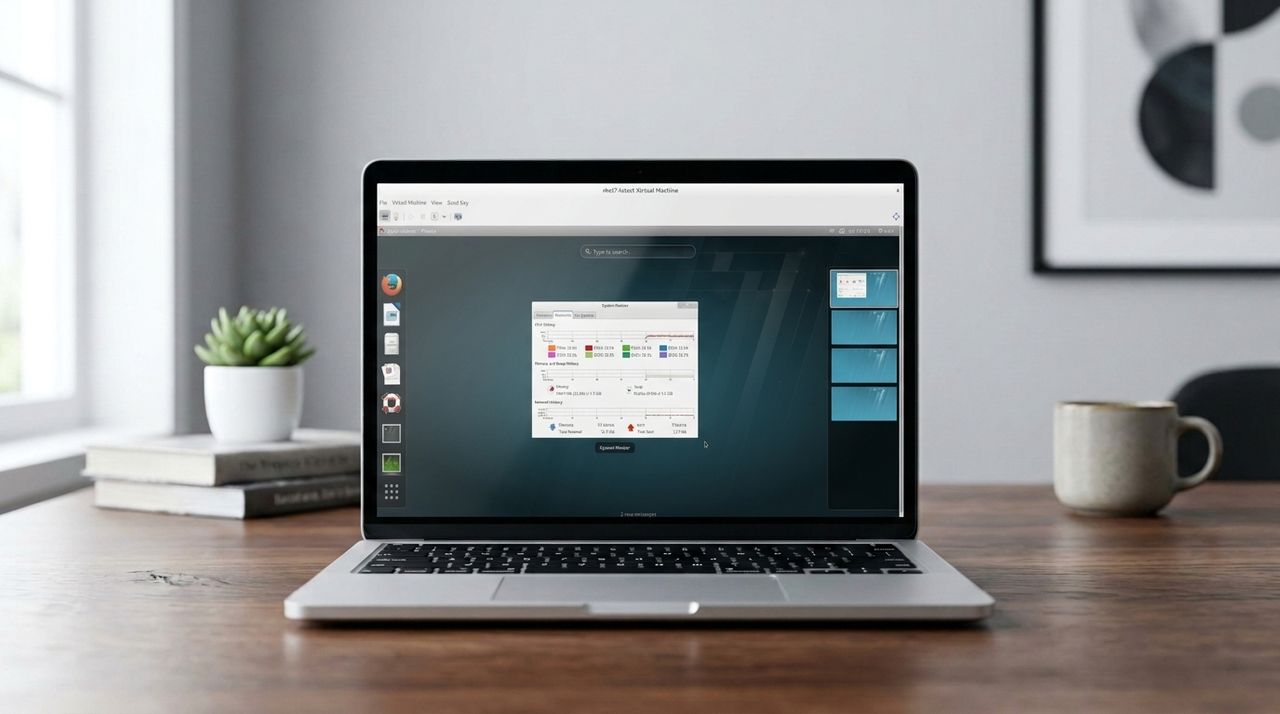
For desktop Linux users, virt-manager is usually the most practical interface. It provides a graphical way to create and manage virtual machines, select installation media, assign CPU and memory, configure storage, and open guest consoles. It is not the most modern-looking interface, but it is functional and widely used.
While virt-manager remains a common and practical choice for desktop Linux users, web-based tools such as Cockpit are increasingly important in enterprise Linux environments, particularly where administrators prefer browser-based management.
Compared with VirtualBox, virt-manager can feel more technical at first. Concepts such as storage pools, NAT networks, bridges, SPICE display, VirtIO drivers, and libvirt permissions may require some learning. Once configured, however, many users find the workflow efficient and reliable, especially on Linux systems where KVM is already part of the platform.
The main challenge is that KVM does not always provide the same convenience features in the same obvious way as desktop-focused tools. Shared folders, clipboard behavior, display resizing, and graphical acceleration can require extra guest drivers or configuration. For a simple Linux VM, the experience can be smooth. For Windows guests or advanced graphical workloads, users may need more setup.
This makes KVM best suited to users who do not mind learning how the virtualization stack works. It is not hostile to new users, but it assumes more technical confidence than VirtualBox or VMware Workstation.
KVM: Performance
Performance is one of KVM’s strongest arguments. Because it is integrated into the Linux kernel and uses hardware virtualization extensions such as Intel VT-x and AMD-V, it can deliver very efficient virtualization on supported hardware. In many CPU and memory-heavy workloads, KVM-based virtual machines can feel close to native performance when configured properly.
This advantage is especially clear on Linux hosts. Instead of layering a separate virtualization product on top of the operating system, KVM works directly with the Linux kernel, while QEMU handles the surrounding virtual machine environment. The result is a stack that can be both flexible and efficient.
That said, performance depends heavily on configuration. The choice of storage backend, disk format, network mode, guest drivers, and display protocol can all affect the experience. VirtIO drivers are important for improving disk and network performance, especially with Windows guests. Poor configuration can make a KVM setup feel less impressive than its technical potential suggests.
This is particularly important because KVM handles CPU execution efficiently, while device and I/O handling still depend on the wider QEMU and driver stack. Using VirtIO drivers helps reduce overhead for storage and networking, but users who rely on default or poorly matched virtual devices may not see the same level of responsiveness.
Graphical workloads require particular care. For ordinary desktop use, SPICE or similar display options may be sufficient. Shared 3D acceleration through VirtIO-GPU, VirGL, and newer Venus-related work has improved the situation for some Linux guest scenarios, but it is still not as straightforward as the graphics experience in more desktop-focused virtualization tools. For Windows guests or heavier graphics workloads, GPU passthrough remains the more realistic advanced route.
For servers, development environments, Linux guests, and headless workloads, KVM is much easier to recommend. It is efficient, stable, and widely used in serious Linux virtualization environments. For casual local desktop virtualization, the performance may be strong, but the setup effort can outweigh the benefit for some users.
KVM: Support
KVM benefits from being part of the Linux ecosystem. Documentation is available through Linux kernel resources, distribution guides, libvirt documentation, QEMU documentation, and community tutorials. This makes information widely available, although not always centralized in one place.
For community users, support usually comes from distribution forums, project documentation, and user communities. This is often enough for common tasks such as creating VMs, enabling libvirt, configuring virt-manager, or installing VirtIO drivers. However, troubleshooting more advanced topics such as passthrough, bridged networking, or storage performance can require deeper Linux knowledge.
Enterprise support depends on the vendor or platform. Red Hat, Ubuntu, Oracle Linux, SUSE, and other enterprise Linux vendors may provide KVM-related support as part of broader Linux subscriptions. Platforms such as Proxmox also use KVM underneath but provide their own management and support model.
This makes support more fragmented than with a single commercial application. There is no single “KVM support plan” for all users. Instead, the support experience depends on how KVM is deployed and which tools or vendors surround it.
KVM: The competition
KVM competes in a different way from most desktop virtualization products. Against VirtualBox, it offers stronger Linux-native performance and deeper integration with the host platform, but VirtualBox can still be easier for users who want a simple graphical tool for occasional desktop VMs.
Compared with VMware Workstation, KVM offers open-source flexibility and strong performance, especially on Linux. VMware may still feel more polished for users who want a self-contained desktop application, particularly when running Windows guests with less manual configuration.
Against Hyper-V, KVM occupies a similar role in a different ecosystem. Hyper-V is the native virtualization layer for Windows Pro and enterprise environments, while KVM is the native virtualization foundation for Linux. The better choice usually depends less on raw capability and more on whether the host environment is Windows or Linux.
Proxmox VE is also important in this comparison because it builds a full virtualization platform around KVM. It does not replace KVM, but wraps it in a more guided web-managed environment with integrated storage, containers, backup, and clustering tools. For users who want KVM performance without assembling QEMU, libvirt, and storage tools manually, Proxmox may be more approachable, although raw KVM remains more flexible for users with highly custom workflows.
In practice, KVM is best for Linux users who want a powerful, flexible virtualization foundation and are comfortable choosing the tools around it. It is not the most polished option for casual users, but it remains one of the most capable and important virtualization technologies available.
KVM: Final Verdict
KVM is one of the most important virtualization technologies in the Linux ecosystem, but it is not a conventional virtualization app in the same way as VMware Workstation, VirtualBox, or Parallels Desktop. Instead, it is a kernel-based virtualization layer that allows Linux to act as a hypervisor, usually working together with QEMU, libvirt, and front-end tools such as virt-manager.
This gives KVM strong performance, deep Linux integration, and a high degree of flexibility. For Linux users, developers, administrators, and infrastructure-focused environments, it can be a powerful and efficient way to run virtual machines. It also forms the foundation for larger platforms and stacks, including Proxmox VE and many Linux-based cloud or infrastructure environments.
However, that strength comes with complexity. KVM itself does not provide a single polished user experience, and the quality of the overall workflow depends on the surrounding tools. Virt-manager makes the stack much more approachable, but users still need to understand storage pools, networking, guest drivers, permissions, and the relationship between KVM and QEMU. For casual desktop users, VirtualBox or VMware may still feel easier. For Linux users who want performance and control, KVM remains one of the strongest options available.
Contributing Writer - Software
Ritoban Mukherjee is a tech and innovations journalist from West Bengal, India. These days, most of his work revolves around B2B software, such as AI website builders, VoIP platforms, and CRMs, among other things. He has also been published on Tom's Guide, Creative Bloq, IT Pro, Gizmodo, Quartz, and Mental Floss.
You must confirm your public display name before commenting
Please logout and then login again, you will then be prompted to enter your display name.
View original source — TechRadar ↗
More from Technology

AllAfrica
TechnologyJun 5, 2026 · 1 min
Nigeria: Nigeria Not 100 Percent Ready, but Can Contain Ebola - - Ncdc
AllAfrica

The Verge
TechnologyJun 5, 2026 · 1 min
What happens when your phone is confiscated at the airport
The Verge

BBC
TechnologyJun 5, 2026 · 1 min
Nasa tells ISS astronauts to shelter during air leak repair attempt
BBC