
Hacker Noon
Build NotebookLM-Style Videos From Markdown With SceneDown
When I finished writing my book, I thought it would be nice to create a short promotional video for it. At first, NotebookLM seemed like the perfect choice. You simply upload the book, write a short prompt, and a trailer is generated automatically. https://hackernoon.com/from-idea-to-amazon-kdp-a-realistic-guide-to-writing-your-first-book?embedable=true The result was actually not bad, but it was far from perfect. NotebookLM is primarily designed for learning and summarization rather than producing polished YouTube videos. Ironically, the simplicity that makes NotebookLM so appealing becomes a limitation in this use case. Beyond a short prompt, you have virtually no control over the final output. What I really needed was a tool that could generate highly customizable videos without requiring any video editing skills. That's how the idea for SceneDown was born. SceneDown is essentially a collection of simple Python scripts that can generate NotebookLM-style presentation videos from plain Markdown files. Both the narration and the visuals are fully customizable, giving you complete control over the final content. At the same time, Markdown is easy to write, easy to maintain, and works perfectly with GitHub. In other words, it has everything a developer like me could ask for. The example below shows the structure of a SceneDown storyboard file: --- title: How Einstein’s Theory of Relativity Redefined Space and Time author: Laszlo Fazekas ([email protected]) rights: Copyright © 2026 Laszlo Fazekas, All rights reserved language: en video: preset: youtube width: 1920 height: 1080 fps: 30 subtitles: false tts: provider: elevenlabs model_id: eleven_multilingual_v2 seed: 42 voice_id: "CwhRBWXzGAHq8TQ4Fs17" style_prompt: > Calm, intelligent, cinematic documentary narration. Speak slowly and clearly with a reflective, philosophical tone. Slightly dramatic, but emotionally controlled. The narration should feel like a high-quality science documentary about reality, consciousness, physics, and the future of humanity. Use natural pauses between important ideas. Inspire curiosity, mystery, and wonder. voice_settings: stability: 0.58 similarity_boost: 0.78 style: 0.32 use_speaker_boost: true speed: 0.92 chunking: max_chars: 9000 context_chars: 1200 post_processing: target_lufs: -16 true_peak: -1.5 lra: 11 bitrate: 192k alignment: provider: elevenlabs --- # Scene: Introduction {animation=slow-zoom transition=fade} To understand Special Relativity, we need to travel back to the 1800s. At that time, science had two incredibly successful models describing the world. The first was Newtonian mechanics, which explained how objects move. The second was Maxwell’s set of equations, which described electromagnetic forces, including how light behaves. The problem was that these two theories didn’t play well together. Rather than getting too scientific, let’s explore this mismatch through a simple thought experiment. # Scene: Two Spaceships {animation=slow-pan-right transition=fade} Picture two spaceships in motion. One is flying away from Earth at 5,000 km/h, and the other is heading toward Earth at that same speed. To someone riding on the ship moving away, the incoming ship would appear to be closing in at 10,000 km/h. That’s perfectly reasonable. Speed is always measured relative to something — be it Earth, the Sun, or another object. So in this case, the relative speed between the ships is 10,000 km/h. # Scene: Throwing a Baseball {animation=slow-zoom transition=cut} Now, imagine a person throws an object from one spaceship toward the other at 100 km/h. The receiving ship would encounter it at a relative velocity of 10,100 km/h. So far, everything fits with our everyday intuition. # Scene: The Speed of Light {animation=slow-zoom transition=fade} But things take a strange turn when we replace the thrown object with a beam of light. According to both experimental data and theoretical models, light doesn’t arrive at lightspeed plus 10,000 km/h. Instead, it always arrives at the same constant speed: the speed of light. It doesn’t care how fast the ships are moving or in what direction. Light refuses to adjust its speed for anyone. As you can see, the structure is intentionally simple. The document begins with a standard YAML header containing metadata such as video resolution, TTS engine configuration, and various settings required during video generation. The content itself is straightforward. A video consists of multiple scenes. Each scene has a title—which mainly serves as metadata to improve readability—and an associated image. Images can have animation effects applied to them, currently supporting zoom and pan transitions. The Markdown file must be placed in a directory as storyboard.md , while all images should be stored in the accompanying assets folder. Once everything is in place, video generation is just a single command away. The easiest way to generate a complete video is: ./scenedown.sh all <directory path> The command first invokes the TTS engine (currently, ElevenLabs is supported), then generates the timing alignment used for scene synchronization, and finally renders the complete video using the images, alignment data, and narration audio. The system also generates subtitles that can be uploaded alongside the video on YouTube. Just like with NotebookLM, the entire workflow can be AI-driven. The difference is that here you retain full control over the content. For example, when creating the promotional video for my book, I simply uploaded both the storyboard template and the book itself in PDF format to ChatGPT and asked it to generate the storyboard. The result was surprisingly good, but not perfect. Some topics received too much attention, others were barely covered, and certain scenes focused on the wrong aspects of the material—very similar to my experience with NotebookLM. So I started editing. I removed some scenes, added new ones, and rewrote others. In some places, I let the AI handle the rephrasing, while in others I preferred to write the content myself because I wasn't satisfied with the generated text. Rather than being a fully AI-generated production, the final result was closer to a 50/50 collaboration between human and machine. Once the storyboard was finalized, generating the images became relatively straightforward because each scene's text could serve directly as an image prompt. I briefly considered automating this step as well, but eventually decided against it. Just like the text, the generated images often required manual adjustments before they looked right. The final step was selecting a suitable TTS voice and generating the narration. For a 20-minute video, the voice generation typically costs around $3–4. That's not expensive, but it's still worth carefully reviewing the script beforehand to avoid unnecessary regeneration. Video rendering itself happens locally using FFmpeg, so there are no additional rendering costs. The downside is that generating a full video can take several hours, which makes mistakes somewhat painful when you need to rerun the entire pipeline. To conclude, here is the original book trailer generated with NotebookLM: https://www.youtube.com/watch?v=fccj0Qs-JFE&embedable=true And here is the version I created using SceneDown: https://www.youtube.com/watch?v=erTxOCreCwo&embedable=true I think the difference is noticeable, but everyone can decide for themselves which result they prefer. The project is completely open source and was built over just a few days of enthusiastic vibe-coding. If you find it useful, feel free to use it. If you have ideas, suggestions, or would like to contribute, I'm open to all of it. Hopefully, this little side project will be useful to some of you. At the very least, it can help transform a successful HackerNoon article into a video that reaches an entirely different audience. Happy video making! \ \ \
View original source — Hacker Noon ↗
More from Technology

TechCrunch
TechnologyJun 8, 2026 · 1 min
WWDC 2026: Everything announced on Siri, iOS 27, Apple Intelligence and more
TechCrunch
TechRadar
TechnologyJun 8, 2026 · 1 min
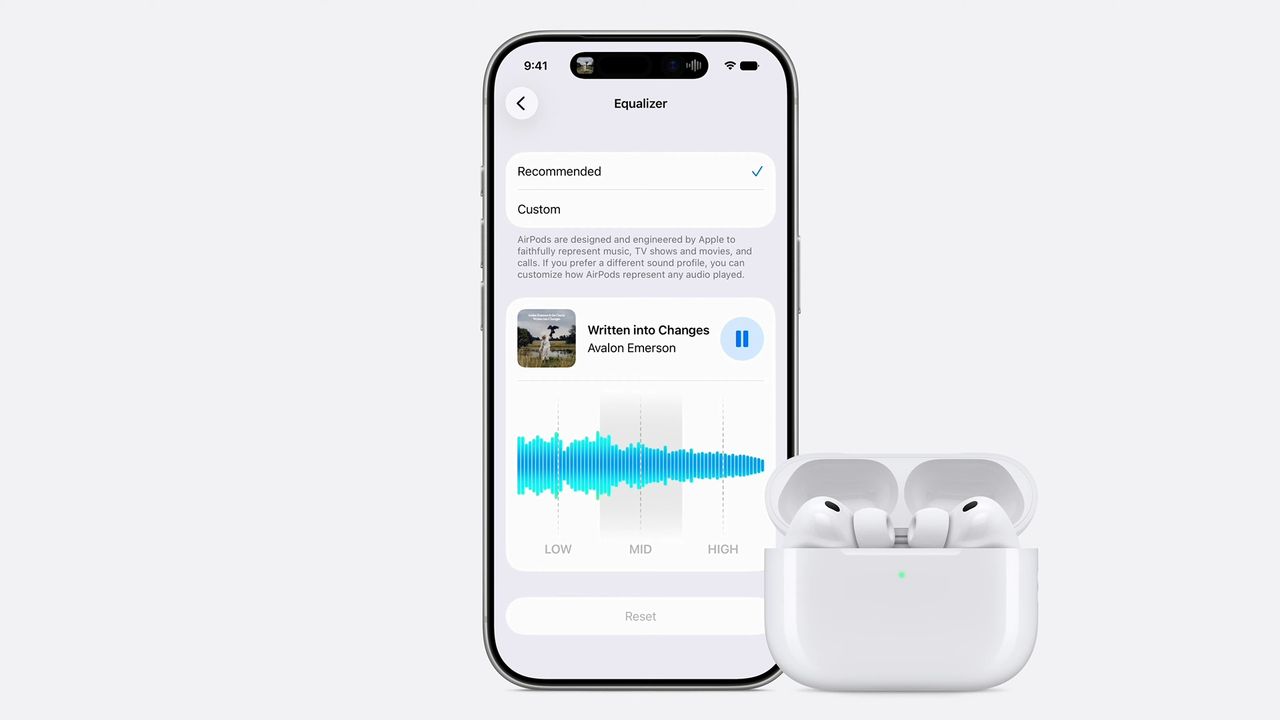
AirPods are finally getting a custom EQ in iOS 27, this is not a drill!
TechRadar

TechCrunch
TechnologyJun 8, 2026 · 1 min
Apple is tweaking its controversial Liquid Glass design
TechCrunch