I gave my wife a MacBook Neo for 2 weeks and she’s going back to Windows, here’s why
"You can take the MacBook back. I don’t have the patience to learn a new thing," said my wife as she slid the MacBook Neo back across the kitchen counter.
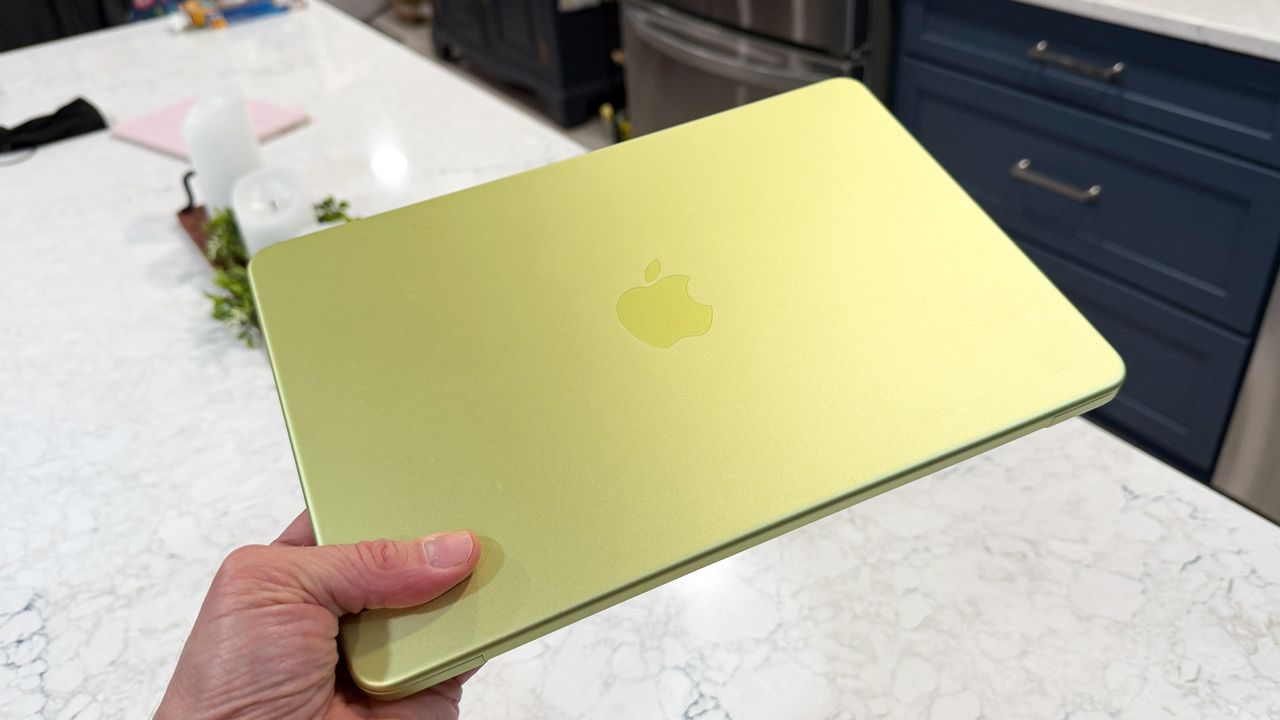
It was the unceremonious end to a two-week-long experiment in which I encouraged my wife, a decades-long Windows user, to give Apple a try, more specifically, the flavor of Apple found in a lovely, citrus MacBook Neo.
Look, I am no pusher. Ever since I started testing the $599 laptop, my wife had been eyeing it. She was becoming Mac curious. This had a lot to do with her creaky Microsoft Surface Pro 4, a decade-old system that would soon face the dreaded end of Windows 10 security updates (no TPM 2.0 on that old Surface Pro).
As a realtor, she kind of loved the old girl. It ably ran all of her Web-based business software, handled emails, basic art needs for whipping up new listing sheets, and social media materials. She also knew, however, that it was almost time for an upgrade. We both wondered if the affordable and mid-range-powered MacBook Neo could ably step in for the Surface Pro.
My wife even told me that, if she went with the MacBook Neo, Cirtus would not be her choice; the blush looked rather nice. Of course, Citrus is what I had on hand, so that's what she got.
I told her that, while different, macOS would not be completely foreign. Sure, it moved some things around, but my wife was no Luddite; she picked up new tech pretty well.
One thing about her, though, should have been a warning: she hates change.
Sign up for breaking news, reviews, opinion, top tech deals, and more.
Taking the macOS plung
Simply buying her a MacBook Neo — even if there are some nifty Prime Day Deals right now — without knowing if she'd take to it made no sense, and since I'd been testing and using this on-and-off for months, we decided to set her up with it as if she'd bought the system brand new.
I reset the MacBook Neo. It's a $699 model with Touch ID and 512GB of storage, and I told her that this would likely be the one we would buy anyway since I wouldn't want her to run into storage issues.
Next, we sat side-by-side as I walked her through the setup. She took to this part quickly, though I realized that the placement of Touch ID on the power/sleep button was non-obvious. When I told her to register her finger to unlock the laptop, she stared at the system for a few seconds, clearly looking for something with a fingerprint symbol.
You're on your own
For the next couple of weeks, I would watch her slip the laptop into her work bag or use it at the dining room table. I did catch her occasionally trying to tap the screen, which was unsurprising. After all, she'd spent a decade with a touch-screen convertible. I'd ask her how it was going, and she'd give me a slightly less-than-enthusiastic "OK".
At work, she said she struggled to connect to the office printer and finally had a coworker step in and help her.
When she was at home, I showed her how to add her OneDrive account to access work files, a move that seemed to both confound and confuse her. The Windows system automatically integrates the drive. For the Mac, there's an app and then a few steps.
Even the benefits I found in adding a Mac to my Apple ecosystem were lost on her:
"Why do my iPhone notifications keep popping up on the MacBook? That's annoying."
I kept waiting for that moment, the epiphany that triggered, "Why didn't I make this switch years ago?"
It never came.
She found the need to use two fingers to enact right-click functions confusing and didn't seem all that thrilled with the trackpad.
It was clear she appreciated the MacBook Neo design, and yet, she told me, “It’s nice and sleek and all of that, but I could get a new PC that’s nice and sleek and all of that."
As we walked through a Best Buy looking at both MacBook Neo and a bunch of comparable Windows machines from Lenovo, HP, Dell, and Acer, it was clear that the MacBook Neo had not won her over.
After she returned the system, my wife told me that she just couldn't get used to all the differences. Why was the control center at the top? Why did the dock look like that? How could they not have a Start button?
For the average Mac user, like myself, there were all good reasons for these design elements and placements, but, having been a switcher myself, I understood the confusion. Working on a MacBook after 30 years on Windows means you are living in a constant state of "Who moved my cheese?" And when you, as my wife does, have important work to get done, you can't have a system's quirks getting in the way of your productivity.
Getting real
None of this is a commentary on the still excellent MacBook Neo, but it does say something about a certain class of users who, while Apple might try to attract them with the affordable MacBook Neo, are unlikely to make the switch.
The reality is that the best market for the MacBook Neo is still the back-to-school market, where it will likely have an easier time of swaying kids who've used Chromebooks or have only been on iPads.
They'll become Apple's newest customers. As for aging Windows users, getting them to make the switch might be more than Apple can or should hope for — even with the appealing MacBook Neo.
A 38-year industry veteran and award-winning journalist, Lance has covered technology since PCs were the size of suitcases and “on line” meant “waiting.” He’s a former Lifewire Editor-in-Chief, Mashable Editor-in-Chief, and, before that, Editor in Chief of PCMag.com and Senior Vice President of Content for Ziff Davis, Inc. He also wrote a popular, weekly tech column for Medium called The Upgrade.
Lance Ulanoff makes frequent appearances on national, international, and local news programs including Live with Kelly and Mark, the Today Show, Good Morning America, CNBC, CNN, and the BBC.
View original source — TechRadar ↗
Related stories

The Echo Dot 5th Gen is the best way to take advantage of Alexa+ for cheaper this Prime Day

The Garmin Fenix 8 is as cheap as it's ever been

Sonic Team head on where the franchise will be in another 35 years — 'Iizuka-san does not think he's going to be alive'