Best Tablet 2026: Top Tablets From Apple, Samsung, Amazon and More
Apple still has the highest global market share for tablets, according to recent data, and all its iPads are among the best you can buy, including the entry-level 11th-gen iPad, iPad Pro M5, iPad Air M4 and the seventh-gen iPad Mini. Fear not, non-Apple users, there are plenty of other quality tablets I've tested, including several appealing Android options, and they're all on this list. I've also selected some affordable budget tablets, which are good for consuming media or playing casual games, but don't quite qualify as a professional productivity tool or true laptop replacement.
8.2/10 CNET Score
A lot of the time, just going with the basics is best. That's certainly the case with the Apple iPad.
Pros
Affordable
128GB storage included on base model
Solid front video camera
More powerful A16 processor
Cons
No support for Apple Intelligence
Won't work with newer Pencil Pro or Pencil 2 stylus
Accessories still too expensive
8.4/10 CNET Score
Why I like it
Pros
Sleek design with slim bezel
Top-notch OLED screen with 120 Hz refresh rate
Speedy performance
Good battery life
Upgraded S Pen included
7 years of Android support
Waterproof with an IP68 rating
Cons
Expensive
Larger 14.6-inch Tab S11 Ultra works better as a laptop replacement and is slightly slimmer
DeX (desktop) mode is improved but I had trouble wirelessly connecting to a Samsung monitor
8.7/10 CNET Score
CNET reviewer Scott Stein has this to say about the iPad Air M4, which was released in 2026 and is equipped with an upgraded M4 processor: "Apple's midrange iPad Air is the only iPad to get an update in 2026 so far, and its mix of lower price compared to the Pro and higher-performance M4 processor gives it the best bang for the buck by far among iPads right now."
Pros
Fantastic performance
Well-designed as always
Price is low for its chip's horsepower
Cons
Accessories like the case and Pencil Pro add up
iPadOS is versatile but lacks some advantages of MacOS
8.2/10 CNET Score
If you can't afford Samsung's flagship Galaxy Tab S10 tablets, the company's step-down Galaxy Tab FE tablets are a value alternative.
Jump to details
Pros
Fairly affordable
Sharp, bright screen
Over 17.5 hours of battery life
MicroSD card slot
Most of the same features as standard Tab S10
Upgraded rear camera
S Pen included
Cons
Isn't as zippy as standard Tab S10 (Exynos 1580 chip is more than adequate for most people, but a bit middling)
Larger FE Plus a little unwieldy to use handheld
8.8/10 CNET Score
If money were no object, Apple’s M5 iPad Pros would clearly be the best iPads for anyone. Very similar to last year's M4 iPad Pro except for the processor bump, they're "closer than ever to the future of the Mac," according to CNET's Scott Stein. Read CNET's iPad Pro (M5, 2025) review.
Pros
Slimmer design
Vivid, bright Tandem OLED display
New M5 processor is crazy fast (10% faster than M4)
iPadOS 26 unleashes multitasking
Faster 5G wireless and Wi-Fi 7/Bluetooth 6 via new CX1 and N1 modem and wireless chips
Plenty of power to last for years of OS updates to come
Cons
Gets very expensive fast for configurations
Lacks some pro tools found on Macs
No stylus (Apple Pencil) included
TABLET DEALS OF THE WEEK
$150 (save $70)
$559 (save $41)
$300 (save $50)
$330 (save $50)
$502 (save $49)
Deals are selected by the CNET Group commerce team, and may be unrelated to this article.
Best Tablet 2026: Top Tablets From Apple, Samsung, Amazon and More
What's the best tablet overall?
Best tablets of 2026
Best budget iPad for most
Best Android tablet
Best iPad for power users for less
Best battery life
Best iPad for power users and content creators
Best new high performance Android tablet
Best Android tablet that doubles as a home hub
Best Windows tablet
Best affordable Android tablet for reading
Best budget tablet
Best travel iPad
Best Android mobile gaming tablet
Best affordable entertainment tablet
Best kids tablet
Best Chromebook tablet
How we test tablets
Factors to consider when buying a tablet
Tablet FAQs
What's the best tablet overall?
Rumor has it that Apple may introduce a new 12th-gen entry-level iPad this fall with Apple Intelligence, but I still have the iPad (11th-gen, 2025) at the top of the list because it remains the overall best tablet value for most people, particularly now that the base model comes with 128GB of storage (instead of 64GB) and sometimes gets discounted to as low as $299. We also like the iPad Air M4 for those who want a more powerful tablet from Apple but aren't ready to shell out even bigger bucks for an iPad Pro model. As for Android tablets, the Samsung Galaxy Tab S11, which earned a CNET Editors' Choice award, is our current top pick. It's expensive but can often be had at a nice discount when you trade in a device with Samsung.
What we updated: June 23, 2026
While our recommendations remain unchanged for this update, we have verified that they are in stock and up to date. We're currently evaluating a handful of new tablets for potential inclusion in this list.
Best tablets of 2026
Pros
Affordable
128GB storage included on base model
Solid front video camera
More powerful A16 processor
Cons
No support for Apple Intelligence
Won't work with newer Pencil Pro or Pencil 2 stylus
Accessories still too expensive
A lot of the time, just going with the basics is best. That's certainly the case with the Apple iPad.
Why I like it
While we're still waiting for an updated iPad, the current model remains a great budget-friendly option. It uses the Apple A16 chip found in iPhone 14 Pro and iPhone 15, not one of Apple's more powerful M-series chips -- that's a performance bump from the A14 processor in the 10th-gen iPad. Just as importantly, the base version of the iPad 11th-gen comes with 128GB of storage instead of 64GB (hallelujah!).
Who's it for
The 11th-gen iPad remains arguably the best value, especially when it is discounted to less than $300. It's best as a media consumption tablet, but it can also be used for basic content creation, education, simple home office tasks and FaceTime chats.
Who should skip it
Alas, this new basic iPad doesn't get you Apple Intelligence (the chip doesn't support it), and it still works only with the simple USB-C Pencil or the first-gen Pencil (with a USB-C-to-Lightning adapter), not the Pencil Pro.
... Show more
Pros
Sleek design with slim bezel
Top-notch OLED screen with 120 Hz refresh rate
Speedy performance
Good battery life
Upgraded S Pen included
7 years of Android support
Waterproof with an IP68 rating
Cons
Expensive
Larger 14.6-inch Tab S11 Ultra works better as a laptop replacement and is slightly slimmer
DeX (desktop) mode is improved but I had trouble wirelessly connecting to a Samsung monitor
Why I like it
On the surface, Samsung's flagship Galaxy Tab Series doesn't seem like a particularly good value. But you should always take Samsung's tablet list prices with a grain of salt, as it frequently offers discounts and device trade-in options to bring the price down. Apple's latest iPad Pro models are more powerful devices, but in the Android tablet world, anyway, there really isn't anything quite as sleek or slim with a great display that offers excellent performance as the Tab S11, which is why we've awarded it an Editors' Choice (read our full review).
You can certainly quibble with Samsung's choice of processor and argue that tablets like the OnePlus Pad 3 are a better overall value when you compare list prices, but the Tab S11 is still the Android tablet to beat. While the 14.6-inch Tab S11 Ultra has its advantages for certain applications and is unique in the tablet world due to its extra-large size, for most people, the smaller and more affordable Tab S11 makes more sense.
Who's it for
This is a versatile, high-performance tablet for non Apple users that's not only a good productivity tool but an impressive entertainment device that also works well for Cloud gaming. With the keyboard accessory, it's also a potential laptop replacement, though the larger 14.6-inch Tab S11 Ultra is better suited for that purpose.
Who should skip it
It's overkill for those looking for a tablet to primarily use as a device to consume content.
... Show more
Pros
Fantastic performance
Well-designed as always
Price is low for its chip's horsepower
Cons
Accessories like the case and Pencil Pro add up
iPadOS is versatile but lacks some advantages of MacOS
CNET reviewer Scott Stein has this to say about the iPad Air M4, which was released in 2026 and is equipped with an upgraded M4 processor: "Apple's midrange iPad Air is the only iPad to get an update in 2026 so far, and its mix of lower price compared to the Pro and higher-performance M4 processor gives it the best bang for the buck by far among iPads right now."
Why I like it
As nice as the fancier M5 iPad Pro might be, spending an extra $400 is a lot to ask (though if you're considering the 13-inch iPad Air, you might be better off moving up to the Pro). I'd consider the 11-inch model instead, and at the right config, this could very well be the futureproofed, more affordable iPad that's perfect for you -- especially if you're interested in pushing the iPad hard for tools that will need the M4 performance. Plus, there's an excellent keyboard for it.
Who's it for
It's a versatile tablet, just like the basic iPad, but with better performance. If you'd like to use a Pencil Pro and plan to power-use either AI or graphics features on the iPad, then the Air is your budget pick.
Who should skip it
The iPad Pro offers a high-contrast HDR custom OLED display, a thinner design, a Face ID camera and Lidar on the back, though those features come at a price jump of $400. Still, if those features are important to you, you don't want an Air. Similarly, you don't need the Air's M3 chip for basics like streaming video and audio, playing less graphically demanding games and using thousands of apps.
... Show more
Get it now
Pros
Fairly affordable
Sharp, bright screen
Over 17.5 hours of battery life
MicroSD card slot
Most of the same features as standard Tab S10
Upgraded rear camera
S Pen included
Cons
Isn't as zippy as standard Tab S10 (Exynos 1580 chip is more than adequate for most people, but a bit middling)
Larger FE Plus a little unwieldy to use handheld
If you can't afford Samsung's flagship Galaxy Tab S10 tablets, the company's step-down Galaxy Tab FE tablets are a value alternative.
Why I like it
Every year, Samsung comes out with "Fan Edition" versions of its flagship Galaxy Tab S series tablets that aren't quite as powerful and have less-advanced display technology -- but cost a lot less. Once again, that's true for the Galaxy Tab S10 FE and Galaxy Tab S10 FE Plus, which start at $500 with 8GB of RAM and 128GB of storage. While the Galaxy Tab S10 FE retains the same 10.9-inch display of its predecessor, the larger Tab S10 FE Plus ($650) is equipped with a 13.1-inch display, which is larger than the 12.4-inch screen found in its predecessor and the standard Tab S10 Plus.
Both tablets run on an upgraded Samsung Exynos 1580 chipset instead of the more powerful MediaTek processors found in their standard counterparts (the Exynos 1380 chipset powers the Galaxy Tab S9 FE tablets). In our benchmarks, I can't say the Exynos 1580 offered blazingly fast performance (it was a tad middling, especially compared to the M3 chip in the latest Apple iPad Air), but the tablet's overall performance should be more than adequate for most folks and the LCD screen is bright and crisp with good color saturation (no, it's not quite as good as the AMOLED display on the standard Tab S10 Plus but I still liked it). Also, it has incredible battery life, hitting 17 hours and 45 minutes in our tests and earning a CNET Lab Award for Longest Battery Life for tablets.
Samsung says the Tab S10 FE is 4% lighter than its predecessor, and both tablets are equipped with a newly upgraded 13-megapixel high-resolution rear camera, though the Tab S10 FE Plus no longer has a second ultrawide camera.
Who's it for
While the Tab S10 FE screen sizes don't correlate to the standard Tab S10 Plus and Ultra screen sizes, the bottom line is that you're getting about 75% of the tablet that you get with the standard Tab S10 series for significantly less money. And if you have an older Samsung tablet to trade in, the price becomes even more affordable. If you want a larger screen, battery life and saving some money are most important to you, the S10 FE Plus is the way to go.
Who should skip it
For artists or anyone else who needs the best display quality, or those who require the best possible performance, you'll want to get the full-fledged S10 Plus or the newer S11 models.
... Show more
Add to compare
Pros
Slimmer design
Vivid, bright Tandem OLED display
New M5 processor is crazy fast (10% faster than M4)
iPadOS 26 unleashes multitasking
Faster 5G wireless and Wi-Fi 7/Bluetooth 6 via new CX1 and N1 modem and wireless chips
Plenty of power to last for years of OS updates to come
Cons
Gets very expensive fast for configurations
Lacks some pro tools found on Macs
No stylus (Apple Pencil) included
If money were no object, Apple’s M5 iPad Pros would clearly be the best iPads for anyone. Very similar to last year's M4 iPad Pro except for the processor bump, they're "closer than ever to the future of the Mac," according to CNET's Scott Stein. Read CNET's iPad Pro (M5, 2025) review.
Why I like it
Not only are Apple’s M5 iPad Pros incredibly fast with new M5 processors (the iPad Pro M5 is about 10% faster than last year's M4 version and about 38% faster than the iPad Air M3), they have vivid OLED displays with excellent contrast and brightness (it's actually the brightest screen we've tested, earning it a CNET Labs Award), as well as improved Pencil Pro and Magic Keyboard accessories (still sold separately). The M5 chip works with Apple Intelligence, Apple's set of AI features, and has plenty of power to last for years of OS updates to come. The Pro is a thinner tablet too.
Who's it for
Anyone who craves the best Apple tablet for creating and entertainment -- and doesn’t care about a budget -- this is your pick.
Who should skip it
The downside to the iPad Pro is its price: it starts at $999 for the 11-inch model or $1,299 for the 13-inch model. That's outside a lot of people's budgets for a tablet.
... Show more
Pros
Slim, elegant design
Impressively zippy overall performance from top-of-the-line Snapdragon Elite processor
Sharp, bright display with 144Hz refresh rate for smooth scrolling and gaming
Good battery life
OnePlus tends to offer bundle deal on keyboard case accessory
Cons
Fairly premium price
LCD instead of OLED display
No microSD card slot for expandable storage
Disappointing front camera
Despite a few small shortcomings, the OnePlus Pad 3 is one of the best premium Android tablets. It certainly makes for an excellent entertainment device, offering strong performance for gaming (it's also well-suited for Xbox Cloud Gaming). Plus, it can handle light productivity.
Why I like it
Last year's OnePlus Pad 2 was considered one of the better tablet values, combining premium performance with a midrange price: $550, which would sometimes dip to $500. To a certain degree, the new-for-2025 OnePlus Pad 3 follows the same playbook. Equipped with a top-of-the-line Snapdragon 8 Elite processor and a bright, 13.2-inch, 3.4 K-resolution display with 315ppi pixel density and an adaptive refresh rate up to 144Hz, this is a high performance Android tablet that gives off premium vibes for a lower price than Samsung's Galaxy Tab S10 Plus. The OnePlus Pad 3 puts up impressive performance numbers across benchmarks, with especially strong results from the GPU. It's available for preorder now, with a choice of two "free gift" accessories as an incentive to purchase, and it ships July 8. Read full review.
Who should skip it
Folks looking for a premium Android tablet at more of a midrange price. At $700, the Pad 3 costs $150 more than the Pad 2, edging it into premium pricing territory that's outside some people's tablet budgets. It's also not quite a laptop replacement if you're looking for that in a tablet.
... Show more
Pros
iPad-like feel with smooth aluminum case
Sharp 10.95-inch display
Relatively zippy processor
Included speaker dock sounds great
Good front video camera
Cons
Price ramps up for cases and more storage
No keyboard or stylus case options
Although the Google Pixel Tablet has been out for a while, it remains a good value as a midrange tablet, particularly for folks who've already bought into the Google device ecosystem.
Why I like it
Google's versatile, dockable Pixel Tablet doubles as a home hub and a speaker dock-enabled assistant, and its multitasking features work great. You'll have to find your own stylus and keyboard options, but Google has otherwise served up a good family iPad alternative for anyone in the Android ecosystem. Google's currently offering the tablet for $299 without the dock now, but that dock is one of our favorite parts of the tablet.
Who's it for
The Pixel Tablet is one of our favorite family tablets. The dock keeps it in a central location, like a kitchen or living room, so it's always handy for sharing. A relatively zippy Google Tensor G2 processor, a good front camera for video chats, a crisp display (16:10 aspect ratio) and a clean Google Android software experience all add to the appeal.
Who should skip it
If you're looking for a little zippier, better-performing tablet, there are better midrange options, though they cost a little more.
... Show more
Add to compare
Pros
Same great Surface Pro design at a smaller price, size
Good size for tablet mode and light laptop use
IPS display is sharp and bright
Good overall performance for the price and exceptional battery life
Cons
Necessary accessories add to the bill
Seriously, the charger is an extra $70?
12-inch display can feel cramped in laptop mode
External connectivity limited to a pair of USB-C 3.2 ports
Microsoft shrunk the price and screen of its Surface Pro for people who view the tablet PC not as a primary daily driver but as a versatile secondary machine for browsing the web, watching YouTube and Netflix and playing the occasional mobile game. Read full review.
Why I like it
Compared to the larger and more expensive 13-inch Surface Pro, the 12-inch model does sacrifice some things to hit a lower price but maintains the excellent Surface Pro design: a thin aluminum chassis with a great kickstand and an "optional" keyboard that neatly snaps into place magnetically. Despite using the lower-powered Snapdragon X Plus, the 12-inch Surface Pro managed to produce scores competitive with the higher-powered 13-inch Surface Pro. Its benchmark results were in line with the HP OmniBook 5 and Acer Swift Go 14, which feature the same Snapdragon X Plus processor. That is to say, it did well on Geekbench 6 scores, trailing the 13-inch model by 15% on the multicore test and actually outpacing it on the single-core test.
Who's it for
Someone looking for a slim tablet that's able to do double-duty as full Windows laptop, though not necessarily one you'd want to use as your primary laptop.
Who should skip it
Those looking for a true Windows laptop for work. While the Surface Pro offers a full Windows experience, it's better suited as a secondary device to have around your house or apartment for browsing the web, watching shows and playing casual tablet games on a screen that's larger than your phone's. Also, adding a keyboard -- and even a power adapter -- increases your final cost, though Microsoft often offers decent discounts on its Surface Pro models.
... Show more
Pros
Affordable
Display has three modes, including two Paper modes that mimic monochrome or color E Ink displays
Matte screen cuts down on glare
MediaTek Helio G100 processor offers reasonably good performance
Cover and stylus included if you buy as part of a bundle
Cons
Noticeably not as zippy as a higher-end tablets
Not the greatest cameras (just 8-megapixel front and rear)
Matte screen cuts down on brightness
TCL is mainly known for its excellent-value TVs, but it also has an interesting line of Nxtpaper tablets with matte displays that can mimic color and monochrome E Ink e-readers fairly convincingly.
Why I like it
The 1.08-pound Nxtpaper 11 Plus has an 11.5-inch, 120Hz display with Nxtpaper 4.0 display technology (the base display technology is LCD). I was pleasantly surprised by that display, which has a 2,200x1,440-pixel resolution at 229 pixels per inch. It's not super sharp or super bright, but the colors appear accurate, and it has something that TCL calls "3-in-1 VersaView Modes."
Yes, the key selling point of the Nxtpaper 11 Plus compared to other Android tablets is the ability to switch between three display modes. Regular mode is the brightest and makes the tablet look most like your typical tablet with an LCD screen, though this isn't the brightest due to the matte layer on the screen.
Ink Paper mode turns the screen into a Kindle-like monochrome E Ink display "for extended reading sessions and note-taking." And Color Paper mode mutes the screen to mimic color E Ink tablets like the Kindle Scribe Colorsoft and ReMarkable Paper Pro, offering "soft, low-saturation colors ideal for reading comics or magazines." Both Paper modes are designed to reduce eye strain, and there's also some blue-light filtering (the Paper modes are not E Ink technology). Note that those large color E Ink models cost over $600.
Where it does excel is for reading indoors, and it's a budget-friendly tablet for taking notes and drawing. I should point out that while the matte screen does help reduce glare in brightly lit environments, unlike E Ink e-readers, the display still has trouble with direct sunlight. In other words, don't expect to take this tablet to the beach and have the same glare-free, nonwashed-out viewing experience that you get with an E Ink e-reader in direct sunlight. But there's still a lot to like about it for the price.
Who's it for
Someone who's interested in a color E Ink tablet but can't quite afford one and also wants a more versatile real Android tablet.
Who should skip it
This tablet is powered by a midrange MediaTek Helio G100 processor, making it noticeably less zippy than a high-end tablet like the Samsung Galaxy Tab S11. It doesn't have the greatest cameras either -- they're just 8-megapixel front and rear. It's fine for everyday tasks like watching videos, web browsing and Zoom calls. You can play games on it, but it has its graphics limitations and is not a tablet I'd recommend to serious gamers.
... Show more
Pros
Sharper display and better performance than Fire HD 8
Very good value when discounted
Lots of free content from Prime members
Cons
Costs $20 extra to remove ads
Amazon keeps updating its Fire HD 10 tablet every couple of years, bumping its processor speed and RAM. It delivers acceptable performance at a very affordable price.
Why I like it
In 2023, Amazon introduced a slightly lighter and 25% faster Fire HD 10. It comes in a few different versions, including a standard version with a list price of $140 with 32GB of storage, along with the Fire HD 10 Kids (intended for children aged 3 to 7) and Fire HD 10 Kids Pro (targeted at 6- to 12-year-olds). Aside from its larger 10.1-inch display compared to the Fire HD's 8-inch display, this model's screen is sharper, with a pixel density of 224 pixels per inch, which is the best for any Amazon tablet, including the flagship Fire 11 Max.
The non-Pro model has a Disney theme option. As with all Fire Kids tablets, these are bundled with padded cases, a 12-month subscription to the Amazon Kids Plus service, which offers kid-friendly apps and content, and an included two-year free replacement policy should the tablet get damaged. Battery life is rated at up to 13 hours.
Who's it for
When it goes on sale, the Fire HD 10 is arguably the best budget tablet value, and it often is. It's a great option for media consumption and online shopping, naturally.
Who should skip it
While the Fire HD 10's screen offers 1080p resolution, if you're looking for a tablet with a very sharp display, the entry-level iPad is a better bet. This also isn't a good choice for content creation.
... Show more
Add to compare
Pros
Compatible with Apple Intelligence
Works with Apple Pencil Pro
More storage in the base model
Cons
No new design changes
Front camera placement isn't on landscape edge
Can't multitask to external monitors
CNET's iPad reviewer Scott Stein was pretty pleased with the updates to the latest generation iPad Mini, though its high price remains a concern.
Why I like it
I've always liked the iPad Mini because it's smaller and lighter than the entry-level iPad and more travel-friendly (yes, the screen is smaller, but it's still decent for watching videos and reading). It has a newer A17 Pro chip that supports Apple Intelligence, it works with the Pencil Pro stylus, and now comes with 128GB of storage in its base $499 model (instead of 64GB). The Mini hasn't changed its basic looks, although this tablet got a total facelift in 2021.
Who's it for
It's a great, small but powerful tablet. It'll work well for everything from content creation and notetaking to streaming video, reading and gaming.
Who should skip it
The iPad Mini just seems a little overpriced for what it is. Yes, the A17 Pro processor is better than what you get with the entry-level iPad A16 chip, but it's not the M3 processor that powers the iPad Air and allows you to run extra apps on an external monitor like M-series iPads can.
... Show more
Get it now
Add to compare
Pros
Nice-looking display with a 165Hz refresh rate
Works with mobile gaming controllers like the Razer Kishi Ultra
Smooth gaming performance
Includes a case and screen protector
Two USB-C ports that both support fast charging
Cons
No microSD slot
No fingerprint scanner
Behind on Android updates (currently on Android 14, not Android 15)
This 8.8-inch gaming-focused tablet is slightly larger than the iPad Mini but in the same ballpark on price at around $450. For the money, you get strong performance, solid build quality and an overall excellent set of specs and features. Read review.
Why I like it
Jason Cockerham, who reviewed this tablet for CNET, says that at 8.8 inches diagonal, the Legion Tab Gen 3 is larger than the best large phones but still smaller than most tablets made for entertainment. "You might not expect it to be great for gaming, but the more I used it, the more I realized it's nearly the perfect size. Larger tablets get too heavy to hold for long sessions, and unless you've got a kickstand case, propping them up can be a hassle. Being larger than a phone makes it easier on your eyes, though. Plus, some of the best mobile controllers, like the Razer Kishi Ultra, even fit the Legion Tab for an incredible mobile gaming experience."
Who it's for
This is a good choice for someone who's looking for a compact, lighter tablet with premium performance that's excellent for mobile gaming and video viewing.
Who should skip it
If you're looking for a larger, more versatile tablet, this may not be for you.
... Show more
Pros
Fairly affordable
Decent display and performance
Great sound from integrated JBL speakers
Built-in kickstand
Case is included
Cons
Tablet is thicker than a lot of tablets
Lenovo bills its Android-based Tab Plus as a "premium entertainment tablet," it mostly lives up to that description though we could debate how premium it really is.
Why I like it
While Tab Plus' MediaTek Helio G99 processor delivers pretty middle-of-the-road performance, it was zippy enough. Its 11.5-inch 2K LCD (2,000x1,200 pixels) essentially provides 1080p resolution, though its 90Hz refresh rate helps create a smoother image and overall, the display seems like a small step-up from the screens you get with many budget Android tablets. All that said, the Tab Plus' standout feature is its sound. Equipped with JBL speakers, this tablet produces bigger -- and better -- sound than most of the tablets I've tested.
The built-in speakers add some girth to the tablet, which also has a retractable kickstand, so it's a bit chunky. Battery life is solid at around 12 hours, and I appreciate the included carrying case. The case is a little cheap-looking and feeling, but it is protective.
Who's it for
With its built-in kickstand and higher-grade JBL speakers, the Tab Plus is appealing for consuming media on the go. It's also a decent value, especially when discounted.
Who should skip it
If you're looking for a little svelter, sleeker tablet with more premium performance, this may not be for you.
... Show more
Add to compare
Pros
Inexpensive, especially when discounted
Compact and lightweight
Improved performance from 2022 model
Lots of free content from Prime members
Cons
Display is only OK
Costs $20 extra to remove ads
Amazon continues to make the best inexpensive tablets for media consumption. The Fire HD 8 is the middle of the lineup, hitting a sweet spot for price and performance.
Why I like
The biggest reason to like the Fire HD 8 is its price. Also, the 2024 version is a slight refresh from the 2022 model and includes a performance boost thanks to an upgraded six-core, 2GHz Arm processor and 3GB of RAM (up from 2GB). The step-up model with 64GB of memory instead of 32GB is equipped with 4GB of RAM.
While its 1,280x800 pixel display isn't terribly sharp and remains a weak point, the Fire HD 8 is a good low-cost option for streaming video, reading ebooks and web browsing. The key is to wait to pick it up when it's discounted, which it often is, selling for $65 or less.
Who's it for
Amazon Prime members looking for a cheap tablet for themselves or their kids to consume media since Amazon includes a lot of "free" content, including movies, games and ebooks, with Prime accounts.
Who should skip it
If you're looking for a tablet with a sharp display, zippier performance and a premium look and feel, you'll likely be disappointed.
... Show more
Add to compare
Pros
Versatile design
Great battery life
Improved pen performance
Camera privacy shutter
Spill-resistant keyboard cover included
Cons
Tricky to use on your lap
Rear cover magnets could be stronger
The 11-inch Lenovo Chromebook Duet is a pen-enabled ChromeOS tablet with a detachable keyboard. The Duet line is one of the bestselling Chromebooks of all time, according to Google's John Maletis, vice president of ChromeOS product, engineering and UX. That doesn't surprise me in the slightest, considering its versatility and because of what you get for its $350 starting price (and it's regularly available for less).
Why I like it
It's an excellent option for an inexpensive basic laptop for travel and at home. This is a smart choice if you're looking for something for pure mobility or as a secondary device.
Who's it for
With an included keyboard cover -- and sometimes a bundled pen -- it's good for basic office tasks, sketching out ideas, taking notes, web browsing, gaming, video chats and streaming media. It's a great second-screen couch companion.
Who should skip it
As your main computer, its performance and size may be too limiting.
... Show more
Add to compare
Tablets are, effectively, computers. We benchmark tablets against common performance and graphics metrics and run battery life tests for video playback. But we also look at what tablets can do that make them personal or fun. Playing games, trying out art apps, having video chats, watching movies and exploring how well multitasking works all factor in. Benchmarks are only one small part of the review story.
CNET also looks at our deep collective history and experience with tablets and computers in general. Our editors have decades of knowledge across Google, Microsoft, Apple and Amazon ecosystems, and we look at the value and performance of tablets against what laptops and other PCs can provide too.
Tablets are portable computers that have great usability while being less complicated than a traditional computer. The best tablet is the one that's versatile enough for all kinds of use cases from home, school or work. While finding the best tablet for you isn't hard, knowing where to start can be overwhelming, and that's where CNET's testing and reviews can help. We've picked out the best of the best, and these tablets can do it all, including checking email, managing finances, testing your art skills or casually browsing YouTube and watching videos.
Price, in that regard, is a huge factor. Most people we know consider tablets a secondary computer purchase or as a device for kids. Value matters for tablets more than maybe any other product category for that reason. Some tablets are more premium, which may be worth it if you value a more future-proof device, better OLED displays or faster chips.
You can't discuss tablets without talking about Apple. The iPad Pro and Air models just got big hardware upgrades, with the expensive Pro introducing OLED displays and a new M4 chip for the first time, along with an improved Pencil Pro. But keep in mind that Apple devices have their own app ecosystem and lean on Apple services. iPads are more versatile than ever, but they're still not the same, app or OS-wise, as Macs.
While the iPad is the king of the segment, Android tablets have made a comeback over the last couple of years. The Google Pixel Tablet and One Plus Pad 2 are excellent midrange options that are good for family or home use (Pixel Tablet) or as a personal mini laptop (OnePlus Pad 2). Meanwhile, Samsung's Galaxy Tab S10 tablets, which feature a slim design and excellent AMOLED displays, are a top premium Android tablet option.
In the value segment, Amazon's Fire tablets are still the best tablet option for cheap and kid-friendly models. If you're looking for something good for productivity and entertainment, an affordable Chromebook blurs the line between a laptop and a tablet.
What's the difference between Apple's iPads?
For the most part, Apple's iPads differ in terms of price, display quality and chip performance. Higher-end models also work with different Apple Pencil Pro styluses. All iPads run iPadOS similarly, and they all are capable of multitasking. All current models have USB-C ports too. The entry-level iPad is our versatile top pick, but the Air and Pro models add M-series chips that can add more multitasking with connected monitors and work with a few pro-level Apple apps. The new Pro iPads add even faster M4 chips, step-up OLED displays with better brightness and contrast and refresh rates, and are a bit thinner and lighter. If you care about Apple's Pencil stylus, the Air and Pro work with a new Pencil Pro that adds rotational and squeeze gestures. However, they're not compatible with the older Pencil 2.
Show more
Which tablet operating system is best? Fire OS, iPadOS, Android or Windows?
Apple's iPadOS is arguably the best for a few reasons. For starters, its user interface is clean and easy to use, it has strong security features and it plays well with other devices in Apple's ecosystem, including iPhones that run iOS, Macs than run MacOS, Watches that run WatchOS and Apple TV streamers that run tvOS. That's obviously a big plus for Apple users. You can also expect that the iPad you buy gets several years of iPadOS updates and there are thousands of iPadOS apps.
The same is true to a certain degree for Android tablets, but the Android market is more fragmented and many Android tablets have their own slightly different user interfaces thanks to tablet manufacturers mixing in their own OS overlays (for example, OneUI in the case of Samsung and the OxygenOS in the case of OnePlus). Also, the Android tablet you buy will likely only get three years of guaranteed Android OS updates (even Google's own Pixel Tablet only promises three years), so it feels a little less future proof.
While Amazon's FireOS runs on top of an Android base, there's no access to the Google Play Store (yes, there are hacks to add it, but that's another story), which is a bit of a problem. That said, Amazon does offer a lot of "free" content if you're an Amazon Prime member, so there are benefits to playing in Amazon's walled garden -- and Fire OS tablets are very affordable.
As for Windows tablets, the big plus is that they are full-fledged Windows computers and give you full access to Windows apps.
Show more
How much money should I expect to spend on a tablet?
You can pay as little as $50 for Amazon's entry-level Fire 7 tablet or over $1,000 for a large premium tablet like Samsung's Galaxy Tab S10 Ultra or Apple's iPad Pro 13-inch. Midrange tablets like Apple's entry-level iPad, the iPad Mini, iPad Air M3 and Samsung Galaxy S10 FE range from around $300-$600. Naturally, when a new model comes out, previous versions tend to get discounted, sometimes nicely.
Show more
How to choose buying a tablet vs. buying a laptop
Many premium tablets can now serve as laptop replacements, especially when you add a keyboard accessory, so it's become more tempting to buy a tablet instead of a laptop, especially because they tend to be lighter and more travel-friendly. But if you're just trying to choose between one or the other, it really comes down to how you intend to use the device and whether you can live with some possible limitations. The nice thing about a Windows tablet is that it's a full-fledged Windows computer -- it just has a touchscreen. Alas, some iPads are certainly capable of running MacOS and could be even more MacBook-like, but they only run Apple's iPadOS and iPad apps. Editor Scott Stein has always wished Apple would marry iPadOS with MacOS, but it's yet to happen.
Show more
What's the best time to buy a tablet?
Unlike phones, tablets arrive at random times of the year. Apple releases iPads erratically, although entry-level models tend to come in March or April. Samsung usually has new tablets in August, with ongoing discounts and trade-in options to help bring the final price down. Holiday sales and Amazon Prime Day sales are always worth waiting for, but remember that many sales tend to spring up again and again.
Show more
Related stories

Zuckerberg reportedly wants a Polymarket clone — but without real money
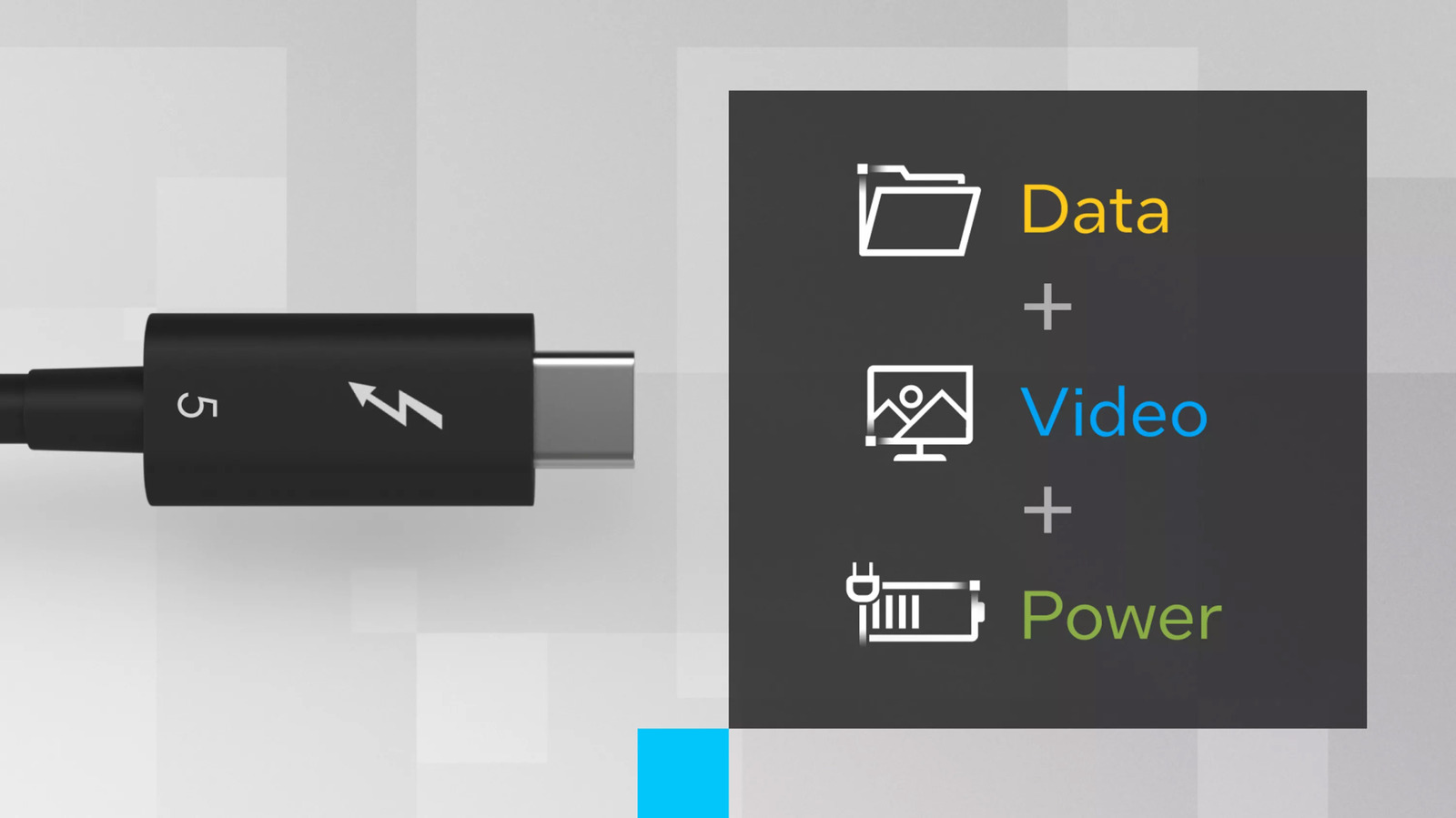
Here's why cables for Thunderbolt 4 and 5 ports cost so much

These are my favorite Prime Day deals on earbuds and headphones