TechRadar
I've been testing macOS 27 in beta — here's are 3 reasons why it's a bupgrade than you might think
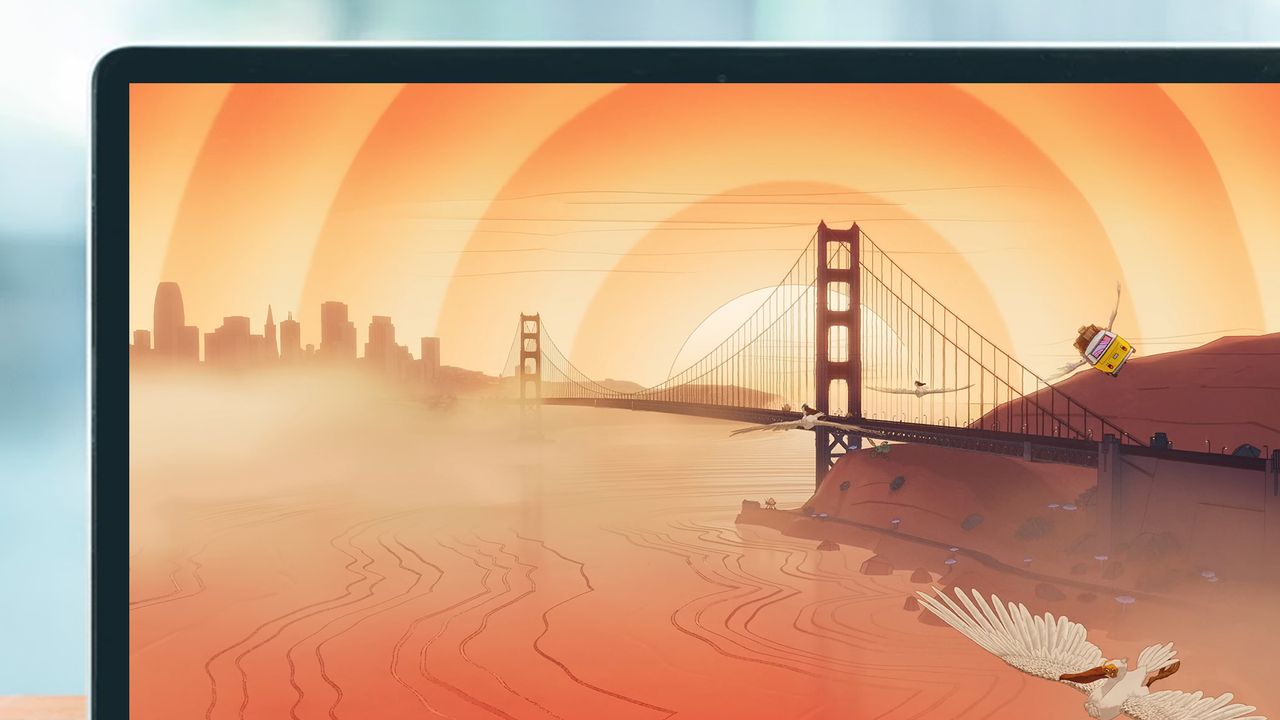
When Apple unveiled its upcoming software updates at WWDC 2026 on June 8, we didn't really get much on macOS 27 — aside from an animated skit about how the Golden Gate name was chosen. But having given the operating system a trial run, I can report that there is in fact a lot to look forward to.
It's worth emphasizing that installing the developer beta is risky: it's no exaggeration to say it can potentially brick your Mac, or at least some of its apps. Unless you're sure about this, you should wait for the public beta in July or the full release of the software sometime in the fall (for the northern hemisphere).
Just because I haven't come across any problems in my testing doesn't mean it'll be the same for you, but I can tell you that I'm impressed by what I've experienced so far. This is still very much a work in progress from Apple of course, so don't treat this as a review — features may come and go before it's pushed out to everyone.
As for compatibility, macOS 27 Golden Gate leaves Intel Macs behind. You'll only be able to install and run this if you're on an Apple Silicon machine. Here are my three favorite things about it so far.
1. It's smooth and fast
Apple has promised performance upgrades with macOS 27 — though it's been a little vague on the details — and while I haven't run any benchmarks, I'd say my MacBook has felt noticeably faster and snappier. Perhaps Apple is taking advantage of not having to take Intel chips into consideration any more.
Other users have noticed the speed increases too, and it seems that high performance tasks are particularly benefitting from this. Even though I don't do much beyond writing, web browsing, and photo editing, I've seen less in the way of lag and sluggishness than I did before, which bodes well.
These performance gains should hopefully translate into battery life improvements as well, though I haven't noticed any real change in terms of time between charges. Bear in mind that there are still months of development to go on macOS 27 Golden Gate, so it's likely to get better over time (this is still only the developer beta, after all).
Sign up for breaking news, reviews, opinion, top tech deals, and more.
2. Siri AI is a genuine upgrade
I have to mention Siri AI, which is now up and running on my MacBook. With a little bit of help from Google and Gemini, it feels like Siri is now genuinely useful on the desktop: answers are accurate and informed, relevant, and personalized to you.
One of the most helpful upgrades is the way that Visual Intelligence now works on macOS 27. You can highlight anything on screen (Shift+Cmd+Space is the shortcut you want), and then ask Siri something about it — and the assistant then uses clues about what's on screen and image recognition to serve up an answer.
It's the sort of feature that should've been in Apple Intelligence from the beginning, but at least it's here now. In addition, the dedicated Siri app and the integration with Spotlight works really well too, making the AI more accessible and more versatile.
3. The interface tweaks
There are numerous interface tweaks here that aren't major on their own, but which all add up to make a significant difference. Even something as simple as having an overflow button for menu bar icons is really effective — it means if you've got a lot of them, they won't start disappearing behind the notch.
The Liquid Glass slider has been given a lot of attention, and it works as advertised. You can find it in the Appearance section of System Settings, and I've moved it all the way to the right — it's as little transparency as possible for me, please. I'm actually hoping Apple gives us more control over this in the final release.
As we've written about before, the icons that were plastered all over app menus are gone as well, leaving behind an interface that suddenly seems more elegant and clean. This isn't a user interface revamp by any means, but it feels as though Apple's engineers have thought long and hard about what changes to make.
Follow TechRadar on Google News and add us as a preferred source to get our expert news, reviews, and opinion in your feeds.
Dave is a freelance tech journalist who has been writing about gadgets, apps and the web for more than two decades. Based out of Stockport, England, on TechRadar you'll find him covering news, features and reviews, particularly for phones, tablets and wearables. Working to ensure our breaking news coverage is the best in the business over weekends, David also has bylines at Gizmodo, T3, PopSci and a few other places besides, as well as being many years editing the likes of PC Explorer and The Hardware Handbook.
View original source — TechRadar ↗
Related stories

Indian Express
TechnologyJun 27, 2026 · 1 min
Maharashtra TET paper leak: ‘Travelled nearly 160 kms’ Teachers stuck in bottleneck after exam pushed back
Indian Express

The Punch
TechnologyJun 27, 2026 · 1 min
NCC seeks local smartphone factories to reduce phone prices
The Punch
TechRadar
TechnologyJun 27, 2026 · 1 min
‘Swept up in its own braggadocio’
TechRadar
TechRadar
TechnologyJun 27, 2026 · 1 min
'We want to be the operating system for physical operations'
TechRadar