
Hacker Noon
C# PDF Libraries: What 'Free' Really Costs You (2026 Guide)
\ TL;DR: There is no single best C# PDF library. There's a best library for what you're willing to own . Free libraries (PDFsharp, QuestPDF) are excellent if you can absorb layout work or a revenue-threshold license; commercial libraries (IronPDF, Aspose, Syncfusion) earn their price when HTML fidelity , support, and risk-transfer matter more than the line item. This guide gives you the matrix, the real cost-of-ownership math, and a decision framework. Full disclosure: we're the team behind IronPDF , one of the libraries in this comparison. We think honest evaluations serve developers better than marketing spin, so we'll show our methodology, recommend free libraries where they genuinely fit, and let the tradeoffs speak for themselves. (On HackerNoon, we've checked the "vested interests disclosed" box in story settings.) There is no single "best" C# PDF library If you search "C# PDF library," you'll find a dozen articles confidently crowning a winner for generating PDF documents. Most are written by vendors, and most measure the wrong thing. The real question isn't which library has the most features. It's which library matches what you're prepared to own, layout code, container ops, a copyleft obligation, or a line item on a budget. Get that match wrong and the "free" choice can cost you a quarter of engineering time, while the "expensive" choice can pay for itself in a sprint. Here's the decision in one sentence: pick the cheapest option whose cost of ownership you can actually afford. The rest of this guide is about calculating that cost honestly. Why does this framing matter so much? Because the search results for this keyword are dominated by feature checklists, and a feature checklist is the wrong instrument. Every serious library in this space can produce a PDF. The differences that actually determine whether you ship on time and stay on budget live in the columns a feature checklist omits: what the license obliges you to do, how many engineering hours the approach costs before it reaches production, and who owns the defect when something breaks at scale. We evaluated the libraries that define each approach across four axes: capability, license, total cost of ownership, and risk posture. Capability is table stakes and the easiest to research, so we spend the least time on it. The other three axes are where decisions go right or wrong, so that's where this guide concentrates. The fastest way to see the shape of the decision is the matrix. The matrix: capability and license at a glance The C# PDF ecosystem isn't one category. It spans direct drawing APIs, fluent document builders, HTML-to-PDF converters backed by a browser engine, headless-browser automation, and low-level manipulation libraries. Each solves a different version of the problem. (All of them ultimately emit the same format, defined by the ISO 32000 PDF specification , but the path each takes to get there is what differs.) Table 1: Core C# PDF libraries by approach, license, and HTML capability (verified May 2026). | Library | Approach | License | Native HTML→PDF | Best at | |----|----|----|----|----| | PDFsharp | Drawing API | MIT (free, incl. commercial) | No | Programmatic drawing, manipulation, merge/split | | QuestPDF | Fluent builder | MIT under $1M revenue; paid above | No (by design) | Layout-driven documents (invoices, reports) | | IronPDF | HTML→PDF (Chromium) | Commercial, perpetual (from $499) | Yes | Pixel-faithful HTML/CSS/JS rendering | | iText | Low-level manipulation | AGPL or commercial | Add-on (pdfHTML) | Standards-heavy, regulated documents | | PuppeteerSharp / Playwright | Headless browser | MIT (tooling) | Yes (Print-to-PDF) | JS-rendered dashboards, SPA capture | | Aspose.PDF / Syncfusion | Commercial suites | Commercial | Yes | Broad enterprise feature coverage | Two things in this table do most of the work in a real decision: the license column and the native HTML column. The license determines your legal and financial obligations; HTML support determines how much layout code you write by hand. We'll come back to both. A note on method, because reviews live or die on it: the only evaluation that matters is the one you run against your content, on your target platform. Treat the sections below as a map of the terrain, then test the two or three candidates that survive it. We'll show what to measure at the end. Four approaches, not four products Before comparing prices, it helps to see that these libraries aren't interchangeable. They represent fundamentally different ways of producing a PDF, and the approach you need is usually dictated by where your content comes from. Drawing APIs: you place every element PDFsharp is the archetype. You create a page, get a graphics context, and draw text and shapes at coordinates you calculate. // PDFsharp: coordinate-based drawing var document = new PdfDocument(); var page = document.AddPage(); var gfx = XGraphics.FromPdfPage(page); var font = new XFont("Arial", 20); // You position every element yourself gfx.DrawString("Invoice #1042", font, XBrushes.Black, new XPoint(40, 50)); document.Save("invoice.pdf"); PDFSharp Output This is precise and dependency-light. It's also exactly as much work as it looks: for anything beyond simple structured output, you're hand-calculating X/Y positions, drawing table borders, and managing page breaks yourself. PDFsharp is genuinely good at what it's designed for: programmatic generation, merging, watermarking, and manipulation. It's actively maintained under the MIT license (more on that below), with recent releases adding capabilities like digital signatures. It just doesn't render HTML, and it isn't trying to. The mental model matters here. A drawing API treats the PDF the way a graphics canvas treats a screen: you have a coordinate space and you paint into it. That's a perfect fit when you're rendering data you fully control, such as a fixed-layout label, a certificate, or a report whose structure never changes. It becomes painful the moment layout needs to flow : variable-length text pushing other elements down, tables spanning pages, content reflowing by locale. At that point you're writing a layout engine by hand, and layout engines are deceptively hard. The companion MigraDoc library sits on top of PDFsharp to add a higher-level document model with paragraphs and tables, closing part of that gap if you stay in the PDFsharp family. Where PDFsharp shines brightest is manipulation of existing documents. Splitting a 500-page document, stamping a watermark across every page, merging generated sections into one file: these are a few lines of code at zero license cost. If that's your workload, you can stop reading and use PDFsharp. Fluent builders: you describe layout in code QuestPDF takes a different path to PDF generation, with its comprehensive layout engine. Instead of coordinates, you declare a layout and the engine handles positioning, pagination, and flow. // QuestPDF: declarative fluent layout Document.Create(container => { container.Page(page => { page.Margin(2, Unit.Centimetre); page.Header().Text("Invoice #1042").FontSize(24).SemiBold(); page.Content().PaddingVertical(1, Unit.Centimetre) .Text("Thank you for your business."); page.Footer().AlignCenter().Text(x => { x.Span("Page "); x.CurrentPageNumber(); }); }); }).GeneratePdf("invoice.pdf"); QuestPDF Output The API design is excellent, one of the better .NET library APIs in any category. It composes cleanly, it's discoverable through IntelliSense, and it handles pagination and flow without you thinking about coordinates. For teams whose documents are data-driven (invoices, statements, structured reports) and who like expressing layout in C# rather than HTML, it's a genuine pleasure to work with. The two constraints that matter: QuestPDF deliberately doesn't render HTML (an architectural choice, not a gap), and its license has a revenue threshold we'll cover precisely in a moment. The deliberate-no-HTML point is worth dwelling on, because it's a feature, not a limitation. By owning its own layout engine rather than embedding a browser, QuestPDF stays lightweight and predictable: no Chromium process, no large native footprint, fast cold starts. That's the upside of the tradeoff. The downside is that if your source of truth is already an HTML template, QuestPDF means re-expressing it in a different paradigm. The full QuestPDF documentation walks through the fluent model in depth. HTML to PDF conversion via a browser engine: you reuse your web stack If your content already exists as HTML (invoices templated in Razor, reports styled with CSS, charts drawn with JavaScript), the most direct path is a library that renders HTML the way a browser does. IronPDF embeds a Chromium engine for this. Because the engine is Chromium, its reliable to convert HTML to PDF for modern layouts, CSS, and JavaScript, which helps produce pixel perfect PDFs with less trial and error. IronPDF can generate PDF/A and PDF/UA compliant documents, all in just a few lines of code. // IronPDF: render HTML (CSS + JS) to PDF using IronPdf; var renderer = new ChromePdfRenderer(); var pdf = renderer.RenderHtmlAsPdf("< h1>Invoice #1042< /h1>< p>Thank you for your business.< /p>"); pdf.SaveAs("invoice.pdf"); That strength comes with the usual tradeoff: Chromium-based tools are heavier than lightweight drawing APIs and may add deployment footprint or licensing cost, though they also offer optimized file size controls with efficient file compression and optimal image compression. They are especially useful when teams need to create documents or generate PDFs from existing HTML templates while preserving document structure. IronPDF has over 18 million NuGet installs, and offers detailed tutorials within its documentation . IronPDF Output PDF Because the engine is Chromium, content that renders correctly in Chrome renders the same in the PDF file: modern CSS, web fonts, and JavaScript-driven visuals included. The ChromePdfRenderer class and its RenderHtmlAsPdf() method are documented in the IronPDF HTML-to-PDF tutorial . The same renderer accepts a URL or a local HTML file, and exposes rendering options for headers, footers, margins, and page sizing. // IronPDF: render an existing template file, with options using IronPdf; var renderer = new ChromePdfRenderer(); renderer.RenderingOptions.MarginTop = 20; renderer.RenderingOptions.EnableJavaScript = true; // wait for JS-driven charts var pdf = renderer.RenderHtmlFileAsPdf("templates/report.html"); pdf.SaveAs("report.pdf"); IronPDF HTML File to PDF Output The value proposition is straightforward: if a designer can build it in HTML and CSS, you can render it to PDF without translating the layout into another model. That collapses a category of work that drawing APIs and fluent builders require. Then, using the same library you can easily add processes for editing PDFs and add code to secure PDFs you have created. The tradeoffs are equally straightforward and worth stating plainly: you're shipping a rendering engine, which carries a memory and disk footprint larger than a pure-managed library, and it's a commercial product rather than a free one. We'll size both honestly in the cost section, because the footprint matters for serverless and the price matters for everyone. Headless browser automation: you drive a real browser PuppeteerSharp and Playwright for .NET aren't PDF libraries; they're browser-automation tools with a Print-to-PDF function. Rendering quality matches Chrome because it is Chrome. This is the right tool when your document only exists after JavaScript runs: a live dashboard, a React or Blazor view, an interactive chart that's drawn client-side. Because you're driving an actual browser, fidelity is total. If it renders in Chrome, it renders in your PDF, because it is Chrome. Some teams also evaluate adjacent advanced features such as OCR capabilities in broader web-to-PDF workflows. // PuppeteerSharp: drive a headless browser to Print-to-PDF await new BrowserFetcher().DownloadAsync(); await using var browser = await Puppeteer.LaunchAsync(new LaunchOptions { Headless = true }); await using var page = await browser.NewPageAsync(); await page.GoToAsync("https://dashboard.internal/report/42"); await page.PdfAsync("report.pdf"); PuppeteerSharp Output The cost is operational, and it's easy to underestimate. You're running and managing a browser instance per render, or pooling instances, which in a container means real RAM and CPU plus the lifecycle management of browser processes under load. Cold starts are slow because a browser has to launch. Microsoft's Playwright for .NET documentation is candid about the infrastructure this implies. It's MIT-licensed tooling, but "free" here is doing a lot of quiet work in your operations budget, and at volume that work has a salary attached to it. Low-level manipulation: you control the PDF structure iText gives you deep control over PDF internals: form fields, digital signatures, tagged and accessible PDFs, and standards compliance such as PDF/A for archival and PDF/UA for accessibility, so choose libraries that support PDF/A and PDF/UA compliance standards for universal accessibility with screen readers and other assistive technologies. Commercial suites such as Syncfusion emphasize compliance with PDF 1.7/2.0 and PDF/UA standards. It's the enterprise baseline for regulated, structure-heavy documents, and it's the tool you reach for when the PDF itself has to satisfy a specification rather than just look right. It also matters when you need embedded structured invoice data, and Syncfusion .NET PDF Library supports ZUGFeRD for invoice automation and automated processing. // iText 7: low-level document construction using (var writer = new PdfWriter("output.pdf")) using (var pdf = new PdfDocument(writer)) using (var document = new Document(pdf)) { document.Add(new Paragraph("Regulatory filing 2026-Q1")); } iText Output HTML rendering exists through the pdfHTML add-on rather than as the core model, so iText is rarely the first choice for HTML-source content. What defines iText in a selection decision isn't its capability, which is substantial, but its license, and that deserves its own treatment in the cost section below. The free-library reality: what "free" actually costs Here's where most comparisons stop short. They put a $0 in the price column and move on. But a library's price tag is the smallest part of its cost. The real cost of ownership is license cost plus the engineering hours to reach production plus the operational footprint plus the risk you carry without commercial recourse. Let's model it honestly. The engineering-hour figures below are structural estimates — ranges for a typical mid-complexity reporting/invoicing workload, not benchmark measurements — meant to show where the cost lives , not to predict your exact sprint. Table 2: Total cost of ownership model for a mid-complexity document workload. Engineering hours are structural estimates, not measured benchmarks. | Library | License cost | Eng. hours to production* | Ops footprint | Risk / support posture | |----|----|----|----|----| | PDFsharp | $0 (MIT) | High (40–120h) for HTML-like layouts; Low for simple drawing | Minimal | Community only; you own all defects | | QuestPDF | $0 under $1M rev; $999–$2,999 above | Low–Moderate (15–40h) | Minimal | Active maintainer; paid support on commercial tiers | | PuppeteerSharp / Playwright | $0 (MIT) | Moderate (20–50h) incl. browser lifecycle | High (headless browser in container) | Community only; you own browser-process ops | | iText (AGPL) | $0 AGPL / commercial quote | Moderate | Minimal | AGPL obligation OR commercial contract | | IronPDF | From $499 perpetual | Low (5–20h) | Moderate (bundled engine) | Commercial support; vendor carries defect risk | *Structural estimate for a typical reporting/invoicing workload; your numbers depend on document complexity and team familiarity. Three "free" libraries, three completely different real costs. PDFsharp's cost is engineering time. It's free forever under MIT, genuinely, for commercial use, no revenue threshold. If your output is simple and structured, that 40–120 hour figure collapses toward the low end and PDFsharp is an outstanding choice. But if you reach for it to reproduce an HTML invoice, you can spend weeks building coordinate-based layout code only to discover you've rebuilt a worse version of what a browser does automatically. The library isn't the problem there; the approach mismatch is. QuestPDF's cost is a revenue-threshold decision. The library is MIT-licensed and free for individuals, non-profits, FOSS projects, and — critically — companies under $1M USD in annual gross revenue . Above that threshold, you need a paid license: $999 Professional (up to 10 developers) or $2,999 Enterprise (organization-wide). That's not a trap; it's a planning input. If you're a funded company over the threshold, budget for it the way you'd budget for any dependency. If you're under it, QuestPDF is free and excellent. Read the current QuestPDF license terms with your own numbers in hand. Headless-browser "free" is an ops cost. PuppeteerSharp and Playwright cost nothing to license, but running a headless browser per render — or pooling instances — is a standing operational commitment. In a Docker or serverless context, that's memory, cold-start latency, and process supervision you now own. For JS-rendered content and basic PDF generation, it's often worth it; just don't mistake the license for the cost. iText's "free" is a copyleft obligation. iText's AGPL license is the consideration that defines it. AGPL is strong copyleft: if you use AGPL iText in your application, the obligation can extend to open-sourcing your own application's source, including for software accessed over a network. The GNU AGPL license text spells out the network-use clause that makes this stricter than ordinary GPL. For many commercial products that's a non-starter, which is exactly why iText offers a commercial license. Neither option is wrong; the decision is whether you can accept the AGPL obligation or will pay to avoid it. That's an architectural choice to make deliberately, with legal review, before you build on it — not after. The pattern across all four: free libraries are free of license cost , never free of cost . The cost just moves to a column that doesn't show up in a pricing table. When commercial libraries earn their price Given all that, when does paying for a library actually make sense? Not always, and any honest guide should say so plainly. For a hobby project, a one-off, or a budget-constrained team that can absorb layout work, a free library is usually the right call. Commercial libraries earn their price in a specific segment: when HTML fidelity, support response, and risk-transfer are worth more to you than the line item. Concretely, that's teams where: The content is already HTML/CSS/JS and reproducing it by hand would cost more engineering time than the license. This is the clearest case, the 5–20 hour figure in the TCO table versus 40–120 hours of drawing code is the whole argument. You need a support SLA and someone to call when a render breaks in production at 2 a.m. Community support is excellent but carries no commitment; a commercial contract does. You can't accept AGPL and want predictable, perpetual licensing without copyleft obligations. Defect risk needs an owner outside your team. With a commercial vendor, fixing the rendering bug is the vendor's problem, not your sprint. This is the segment IronPDF is built for. Its Chromium engine renders HTML, CSS, and JavaScript with browser-grade fidelity, so teams reuse their existing web templates instead of writing layout code. It ships with commercial support, and its licensing is perpetual and copyleft-free: Lite from $499 , scaling through Plus and Professional ($999) to Unlimited tiers, with current terms on the IronPDF licensing page . The honest caveats: it's a paid product, and because it bundles a rendering engine it carries a larger footprint than a drawing-only library like PDFsharp. If your output is simple structured drawing, you're paying for capability you won't use, PDFsharp is the better fit there. Aspose.PDF and Syncfusion occupy the same commercial tier with broad enterprise feature sets, comprehensive format conversion, compliance tooling, and long support histories. They're worth evaluating in the same bracket; the right pick depends on which feature surface and licensing model fits your organization. The point isn't that one commercial library wins; it's that the commercial tier as a category earns its keep precisely in the HTML-fidelity-plus-support-plus-risk-transfer segment, and nowhere else by default. A decision framework: what are you willing to own? Strip away the brand names and the choice reduces to one question: what are you willing to own? Use this as your decision path. Your output is simple, structured drawing, and you'll own the layout code. → PDFsharp. Free under MIT with no revenue threshold, actively maintained, ideal for invoices-from-data, merging, and manipulation. You write the positioning; that's the deal. You want a first-class layout API and you're under $1M annual revenue. → QuestPDF (free). The best fluent builder in .NET, MIT-licensed at your scale. You own layout-in-code, not coordinates. You want QuestPDF's API but you're over the $1M threshold. → QuestPDF (paid). Budget $999 or $2,999. Still likely cheaper than the engineering time of alternatives if a fluent builder fits your content. Your content is already HTML/CSS/JS and you can pay to avoid rebuilding it. → IronPDF or a commercial suite. You own a license cost and a rendering-engine footprint; you don't own layout code or defect risk. This is where the commercial tier earns its price. Your document only exists after JavaScript runs and you can own browser ops. → PuppeteerSharp / Playwright. Free tooling; you own the operational footprint of running a headless browser at scale. You need deep PDF-structure control, and you can either accept AGPL or buy a commercial license. → iText. You own a licensing decision made deliberately with legal input. Notice that "free vs. paid" never appears as the axis. The axis is ownership. Price is just one of the things you might choose to own. How to evaluate for your own project No comparison table substitutes for testing against your real workload. Before you commit, run a short evaluation: Test with your actual content, not "Hello World." A trivial document tells you nothing. Use your most complex real template, the one with the awkward table, the web font, the conditional page break. Deploy to your target platform early. A library that works on your Windows dev machine can behave differently in a Linux container, an Azure Function, or AWS Lambda. Cross-platform behavior is a production property, not a checkbox. Measure memory over 100+ documents, not one. Single-document benchmarks hide the leaks and the GC pressure that surface at volume. If you're generating thousands of documents an hour, this is the number that matters. Check cold-start latency if you're serverless. Engine-bundling libraries and headless browsers both pay a cold-start tax. Measure it on your target. Choose compliance support based on your requirements. If accessibility or archival needs apply, prefer libraries that support PDF/A and PDF/UA compliance standards. Read the full license text with your legal team. Especially for AGPL (iText) and revenue-threshold (QuestPDF) licenses. The summary in any article, including this one, is not legal advice. Most libraries here offer a free path to evaluate: MIT libraries are free outright, and commercial libraries including IronPDF offer full-functionality trials for testing against your requirements. For implementation specifics, the IronPDF documentation and API reference covers the rendering options and configuration you'll touch during an evaluation. Microsoft's guidance on .NET deployment to containers is worth a read before you test any of these in a containerized target, and the broader .NET PDF discussions on Stack Overflow are a useful sanity check on the edge cases other teams have hit. One more piece of evaluation discipline that pays for itself: write your test as a small, repeatable harness rather than a manual click-through. Generate your hardest document a hundred times in a loop, log peak memory and wall-clock time, and run the same harness against each candidate on your target platform. An afternoon spent building that harness turns a subjective "this one feels faster" into a number you can defend in a design review, and it's the single highest-leverage habit in library selection. Also check whether the library can integrate seamlessly with CI/CD pipelines for automation. All code in this guide targets .NET 8 (LTS) ; the libraries discussed also support .NET 10 , and the Chromium-based and headless-browser approaches benefit from the runtime performance improvements shipped in recent .NET releases. If you're weighing which framework version to standardize on, Microsoft's .NET support policy lays out the LTS-versus-STS cadence that should anchor that decision. Frequently asked questions What is the best C# PDF library? There isn't one. The best library is the one whose cost of ownership matches what you can afford to own: layout code (PDFsharp, QuestPDF), browser ops (PuppeteerSharp/Playwright), a copyleft or commercial decision (iText), or a license line item that buys HTML fidelity and support (IronPDF, Aspose, Syncfusion). Match the approach to where your content comes from first, then compare within that bracket. Is there a free C# PDF library? Yes, several. PDFsharp is MIT-licensed and free even for commercial use. QuestPDF is free for individuals, FOSS, and companies under $1M annual revenue. PuppeteerSharp and Playwright are MIT-licensed tooling. "Free" refers to license cost, each still carries engineering or operational cost. Is PDFsharp free for commercial use? Yes. PDFsharp is published under the MIT license with no revenue threshold, so commercial closed-source use is permitted at no license cost. It's actively maintained, with recent releases adding capabilities like digital signatures. Its constraint is that it has no native HTML rendering, it's a drawing and manipulation library by design. Is QuestPDF really free? For most users, yes. It's MIT-licensed for individuals, non-profits, FOSS projects, and companies under $1M USD in annual gross revenue. Above that threshold, a paid license is required ($999 Professional for up to 10 developers, $2,999 Enterprise organization-wide). All tiers get the full feature set. What is the difference between IronPDF and iText? They solve different problems. IronPDF renders HTML/CSS/JS to PDF via a Chromium engine and uses perpetual commercial licensing without copyleft. iText provides low-level PDF manipulation and standards/signature support, and is dual-licensed under AGPL (with a copyleft obligation) or a commercial license. Choose IronPDF when your content is HTML and you want to avoid AGPL; choose iText when you need deep PDF-structure control and can accept its licensing model. Does iText require a commercial license? Not always, it's dual-licensed. You can use it under AGPL for free, but AGPL's strong copyleft can require open-sourcing your application, including for network-accessed software. If that's unacceptable for your product, the commercial license removes the obligation. Decide deliberately, with legal review. Which C# PDF library is best for HTML to PDF? For faithful HTML/CSS/JS rendering, a browser-engine library is the natural fit, IronPDF (commercial, bundled Chromium) or headless-browser tooling like PuppeteerSharp/Playwright (free tooling, you own the ops). Drawing libraries (PDFsharp) and fluent builders (QuestPDF) don't render HTML by design, so they're the wrong tool for HTML-source content regardless of their other strengths. The bottom line The C# PDF library decision has been framed as free-versus-paid for years, and that framing quietly costs teams real money, sometimes in license fees they didn't need, more often in engineering time they didn't budget for. Reframe it as ownership and the choice gets clearer. If you can own layout code and your output is simple, PDFsharp is free and excellent. If you want a great layout API and you're under the revenue threshold, QuestPDF is free and excellent. If your content is already HTML and you'd rather own a license line than weeks of layout work, a commercial library like IronPDF earns its price. If you need PDF internals and can navigate AGPL, iText is built for it. Run the four-axis evaluation against your own content, read the license that applies to your situation, and pick the cheapest option whose cost of ownership you can actually carry. That's the best C# PDF library, for you. Run Your Own Evaluation Harness Don't rely on static pricing tables or marketing checklists. Download the tools, run your hardest template through a 100-document loop, and see the real memory and fidelity numbers for yourself. Start Evaluating IronPDF with a Free Trial License Run the four-axis evaluation against your own content, read the license that applies to your situation, and pick the cheapest option whose cost of ownership you can actually carry. That's the best C# PDF library, for you. Code examples target .NET 8 (LTS); libraries discussed also support .NET 10. License terms and pricing verified May 2026 against each library's official documentation; confirm current terms before purchase, as they change. \
View original source — Hacker Noon ↗
Related stories
TechRadar
TechnologyJul 3, 2026 · 1 min
This $550 Dell 15 Laptop beats those cheap 4GB laptop deals
TechRadar
TechRadar
TechnologyJul 3, 2026 · 1 min
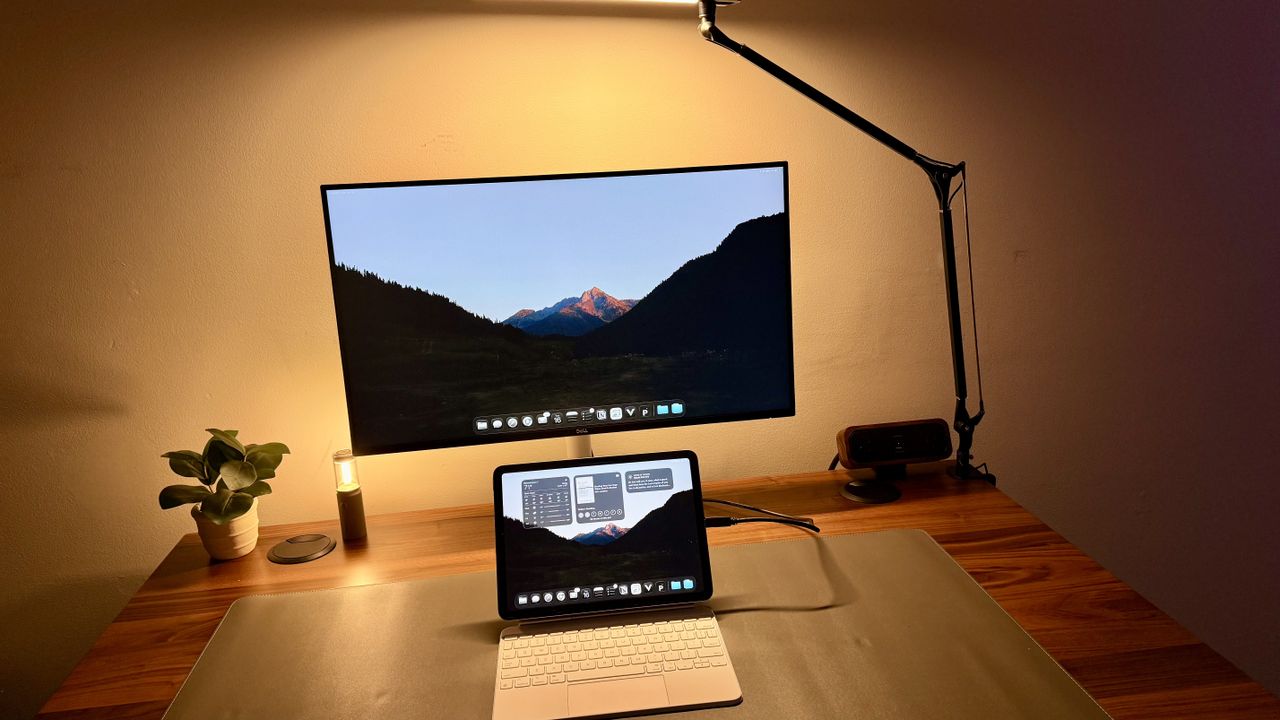
Dell 27 Plus QHD USB-C S2725DC review: A perfect budget business monitor for every kind of office
TechRadar

Wired
TechnologyJul 3, 2026 · 1 min
3 Nuclear Startups Hit a Big Milestone. Why It Matters—and Why It Doesn’t
Wired
TechRadar
TechnologyJul 3, 2026 · 1 min
I'm a tech journalist, and these are the top 5 business travel gadgets I never leave home without
TechRadar