TechRadar
Your smartwatch is an unlikely festival essential, from paying without digging out your phone to finding your way back…
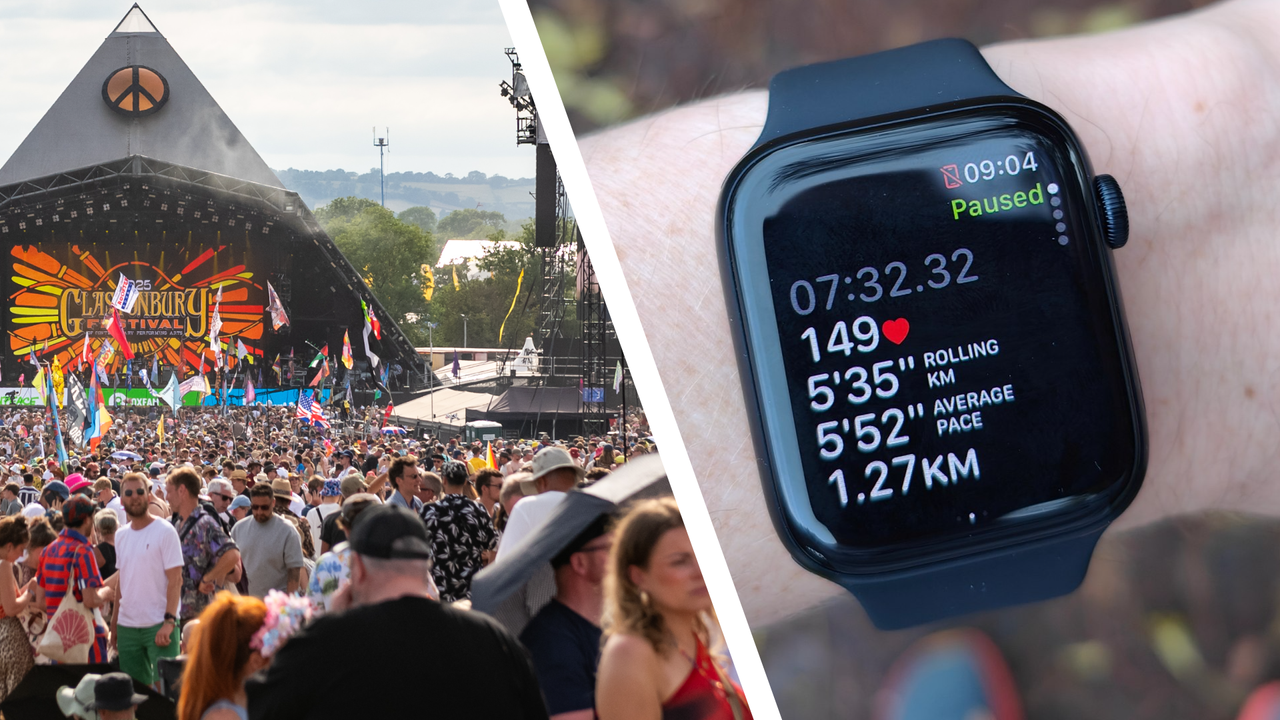
Your smartwatch is probably not the first bit of festival kit you pack. Tent, charger, waterproof jacket, earplugs, decanted booze, possibly a slightly optimistic number of outfits – all of those usually come first.
Still, the right watch and some tweaked settings can make a big difference once you’re through the gates.
A smartwatch can help you pay for food without digging out your phone, find your way back to your tent, track down a missing device, contact help in an emergency, and keep basic features running long after your phone is dead.
The slight catch is that most of this needs setting up before you arrive. Patchy signal, crowded fields, low battery, and tiny on-watch menus are a poor combination when you’re trying to fix something in the moment.
So before you head to your next festival, spend a few minutes getting your watch ready. These are the five settings and features I’d check first.
Download offline maps and save locations
A festival map in the official app is useful, but it won’t help much if your phone battery is limping along or the signal has vanished at exactly the wrong moment. Your smartwatch can give you a small but handy backup.
On Apple Watch, you can sync offline Apple Maps from your iPhone to your watch, so saved areas are still available when your phone isn’t nearby. Wear OS watches, including Pixel Watch and Galaxy Watch models, can also use offline Google Maps, provided you download the relevant area before you leave. Some Garmin users may have a proper mapping setup, depending whether your model has full-color maps such as the Garmin Fenix 8.
Sign up for breaking news, reviews, opinion, top tech deals, and more.
The best move is to save more than just the festival site. Download the surrounding town, the route to your accommodation, the nearest station, and any pick-up or drop-off points you might use at the end of the night.
If your watch lets you save favorite locations, mark your tent, your car, or a meeting spot with friends as soon as you arrive. For example, you could set your tent up as a Waypoint if you're using an Apple Watch, and always know the direction via the Compass complication.
Yes, this sounds a bit boring, but you'll be glad of the simple directions when you're stumbling back in the early hours of Sunday morning.
Set up contactless payments and travel cards
Festival bars and food stalls are not the place to discover your watch wallet is still half set up. Add your usual payment card before you leave, then test it somewhere first, like your local coffee shop.
Apple Pay, Google Wallet, Samsung Wallet, and Garmin Pay can all turn a compatible smartwatch into a wrist-based payment card, though support varies by watch, bank, country, and card provider.
Add a backup card if you can, especially if you’re travelling abroad, and check whether your watch can handle transport cards, IDs, or passes for the journey to and from the site. This is still a backup, rather than a reason to leave everything else behind. A physical card and a bit of cash are worth keeping somewhere safe, because small vendors, patchy terminals, and dead batteries still exist.
But once your watch payments are ready, you’ve got one fewer reason to pull your phone out in a crowd. In the UK, most festivals are now completely cash-less, so you could feasibly do a whole weekend paying only with your wrist.
Turn on Find My and other alerts
A festival is basically a stress test for your phone, earbuds, keys, and bag.
You’re moving between stages, sitting on the grass, squeezing through crowds, and handing things between friends, so it’s very easy for something to end up in the wrong pocket or under a camping chair.
Before you go, make sure Apple’s Find My, Google’s Find Hub, or Samsung’s SmartThings Find is properly enabled for the devices you’re taking.
On an Apple Watch, for example, you can ping your iPhone from your wrist, check the location of devices, and use left-behind alerts for some items.
Android users can get similar help through Google or Samsung’s tracking tools, depending on their phone and watch setup.
This is also where trackers earn their keep. An AirTag or similar tracker on your keys, bag, or tent pouch can be a lot less annoying than retracing your steps through a field at midnight.
It still pays to be realistic – location tools can struggle in dense crowds or low-signal areas – but switching them on before the chaos starts gives you a much better chance of finding things quickly.
Configure SOS, Medical ID, and satellite safety features carefully
Smartwatch safety features are easy to ignore until you need them, so take a few minutes to set them up before you leave. Add your emergency contacts, fill in your Medical ID or health information, and learn the shortcut for Emergency SOS on your watch.
If you’re using a newer Apple Watch Ultra or Pixel Watch with satellite SOS support, it’s also worth checking how the feature works before you’re somewhere with no signal.
The slightly awkward festival wrinkle is that watches can sometimes get a bit overexcited. Fall detection, crash detection, or collision alerts are useful in the right situation, but a mosh pit, packed crowd, or particularly enthusiastic dance tent can look dramatic to a wrist sensor. For most people, the sensible setup is: keep Emergency SOS, Medical ID, and emergency contacts ready, then learn how to cancel a false alert if one starts.
If you know you’re heading into a big crowd, consider temporarily switching off crash or collision detection. Your watch should be a safety net, not the reason you accidentally phone the emergency services during a guitar solo.
Learn to enable a battery-saving festival mode
A smartwatch is only useful if it still has charge when you need it, so give yourself a battery setup before the day gets going. Turn on Low Power Mode or Battery Saver earlier than you think you need to, especially if you’re using GPS and mobile data.
The display is usually the easiest win. Always-On Display looks great, but it’s not essential when you’re trying to stretch a watch through a long festival day. Auto-brightness can help outdoors, while Theater Mode, Sleep Mode, or a low manual brightness setting can stop the screen lighting up constantly at night.
For multi-day festivals, pack the smallest charger or power bank that works with your watch, then make charging part of the routine rather than a panic job.
A quick top-up while you shower can keep the useful stuff running without turning your watch into another thing to worry about.
Follow TechRadar on Google News and add us as a preferred source to get our expert news, reviews, and opinion in your feeds.
Max Slater-Robins has been writing about technology for nearly a decade at various outlets, covering the rise of the technology giants, trends in enterprise and SaaS companies, and much more besides. Originally from Suffolk, he currently lives in London and likes a good night out and walks in the countryside.
View original source — TechRadar ↗
Related stories

South China Morning Post
TechnologyJul 11, 2026 · 1 min
Trump’s crypto windfall showcases his ability to turn loyalty into power
South China Morning Post

Indian Express
TechnologyJul 11, 2026 · 1 min
Express News Quiz: Sunny Deol, FIFA World Cup and Diljit Dosanjh’s film pulled
Indian Express

Philippine Daily Inquirer
TechnologyJul 11, 2026 · 1 min
Russian strikes kill eight in Ukraine, officials say
Philippine Daily Inquirer
TechRadar
TechnologyJul 11, 2026 · 1 min
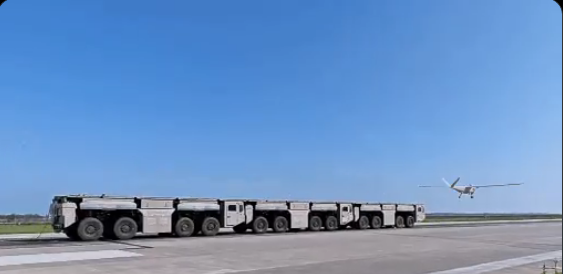
No runway, no problem: China demonstrates drone catapult made up of three trucks that interlock like Lego bricks and…
TechRadar