Indian Express
New IRCTC website launched: How to book train tickets in 5 simple steps
3 min readUpdated: Jul 15, 2026 10:13 PM IST
IRCTC new website for ticket booking: The Indian Railway Catering and Tourism Corporation (IRCTC) on Wednesday rolled out the beta version of its new website. According to the Ministry of Railways, the new portal has been designed to make train ticket booking simpler, faster and more user-friendly for passengers.
Launched in 2002, the IRCTC website currently handles an average of around 14.5 lakh train ticket bookings every day, making it one of the busiest online ticketing platforms in the country.
New IRCTC website link
The beta version of the new IRCTC website can be accessed at https://www.irctc.co.in/eticket/. It is also available through a dedicated link on the homepage of the existing IRCTC website (click on NEW).
Existing IRCTC website (Image: IRCTC)
IRCTC new website launched: Here’s how to book train ticket
To log in to the IRCTC beta website, click the ‘Login’ button located at the top-right corner of the homepage. Enter your username and password, then click ‘Login’ to access your account.
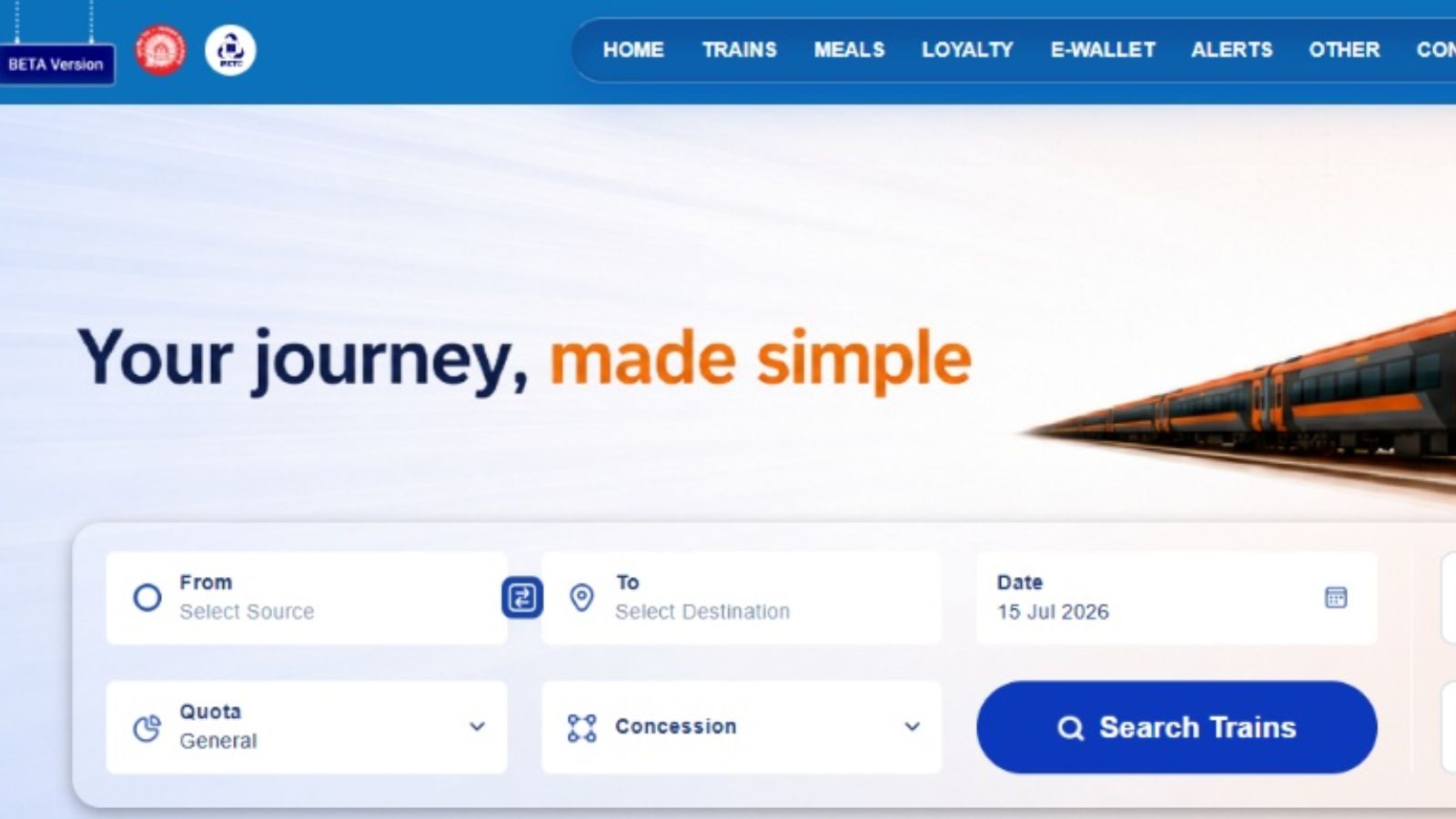
After logging in, enter your ‘From’ (boarding station) and ‘To’ (destination station), select your journey date, choose the applicable quota and concession (if eligible), and then click ‘Search Trains’.
IRCTC beta website (Image: IRCTC)
A new page will appear on the screen with the list of available trains for your selected route. Here, you can view each train’s departure time from the boarding station, arrival time at the destination, total travel time, frequency and seat availability (similar to the existing IRCTC website).
Train ticket booking from IRCTC beta website (Image: IRCTC)
Click on ‘Check Availability’ to view the seat status. Once you’ve selected your preferred train and travel class, click ‘Book’. For example, if you are travelling from New Delhi to Howrah, the booking page will display your selected train and journey details.
Train ticket booking from IRCTC beta website (Image: IRCTC)
Click ‘Continue Booking’ to proceed. A new page will open where you need to enter the passenger details, including the passenger’s name, age, gender, and other required information before moving to the next step, for payment.
Train ticket booking from IRCTC beta website (Image: IRCTC)
Now, proceed to the payment page and choose your preferred payment method. The IRCTC website supports multiple options, including net banking, UPI apps such as Paytm and PhonePe, Razorpay, debit and credit cards, and digital wallets. Once the payment is completed successfully, your train ticket will be booked, and the e-ticket will be generated.
Anish Mondal is a journalist with over nine years of experience covering the railways and roadways. Currently a member of the Indianexpress.com editorial team, Anish specializes in high-impact sectors.
Professional Journey
Anish began his career at the public broadcaster Rajya Sabha Television (now Sansad TV), where he developed a foundational understanding of legislative processes and national governance. In 2018, he transitioned to digital financial journalism at FinancialExpress.com, spending nearly six years refining his expertise in market trends and corporate reporting. Before joining The Indian Express in 2025, he served as a key contributor at ETNowNews.com.
Education & Expertise
Anish’s reporting is backed by a rigorous academic background in communication and the humanities:
Master of Journalism and Mass Communication (MJMC) – Apeejay Stya University
Post Graduate Diploma in Journalism and Production (PGTVRJP) – Apeejay Institute of Mass Communication
Bachelor of Arts (English Honours) – University of Calcutta
Areas of Coverage
Connectivity: Detailed reporting on the expansion of Indian Railways and National Highway networks. ... Read More
Tags:
Ashwini Vaishnaw
Indian Railways
Indian Railways news
irctc
IRCTC App
IRCTC site
IRCTC website
Ministry of Railways
Railway Board
View original source — Indian Express ↗
Related stories

The Punch
WorldJul 15, 2026 · 1 min
VIDEO: Sanwo-Olu visits flooded Lagos communities
The Punch
The Punch
WorldJul 15, 2026 · 1 min
Soldiers rescue 13 kidnap victims, foil terrorist operations in Zamfara
The Punch
The Punch
WorldJul 15, 2026 · 1 min
Flooding: Akwa Ibom gov orders demolition of buildings on drainage channels
The Punch
The Punch
WorldJul 15, 2026 · 1 min
BUA to expand production after N504bn dividend
The Punch